Presto Market

About Presto company

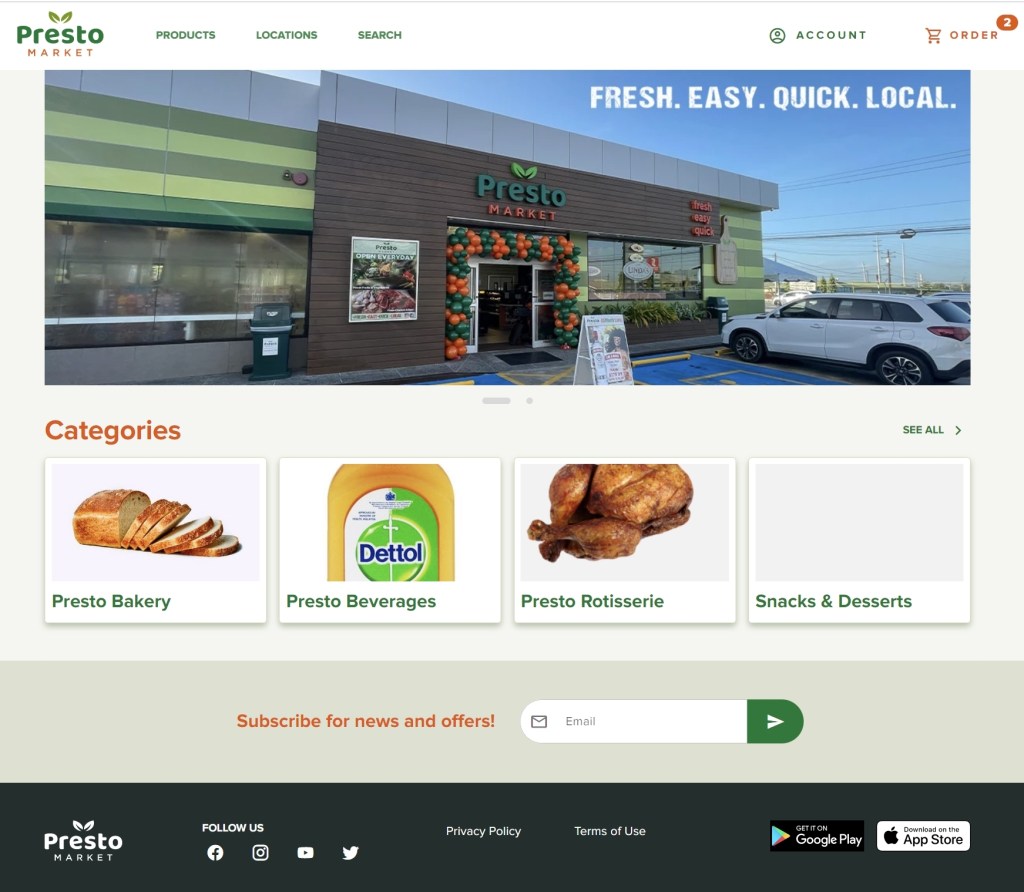
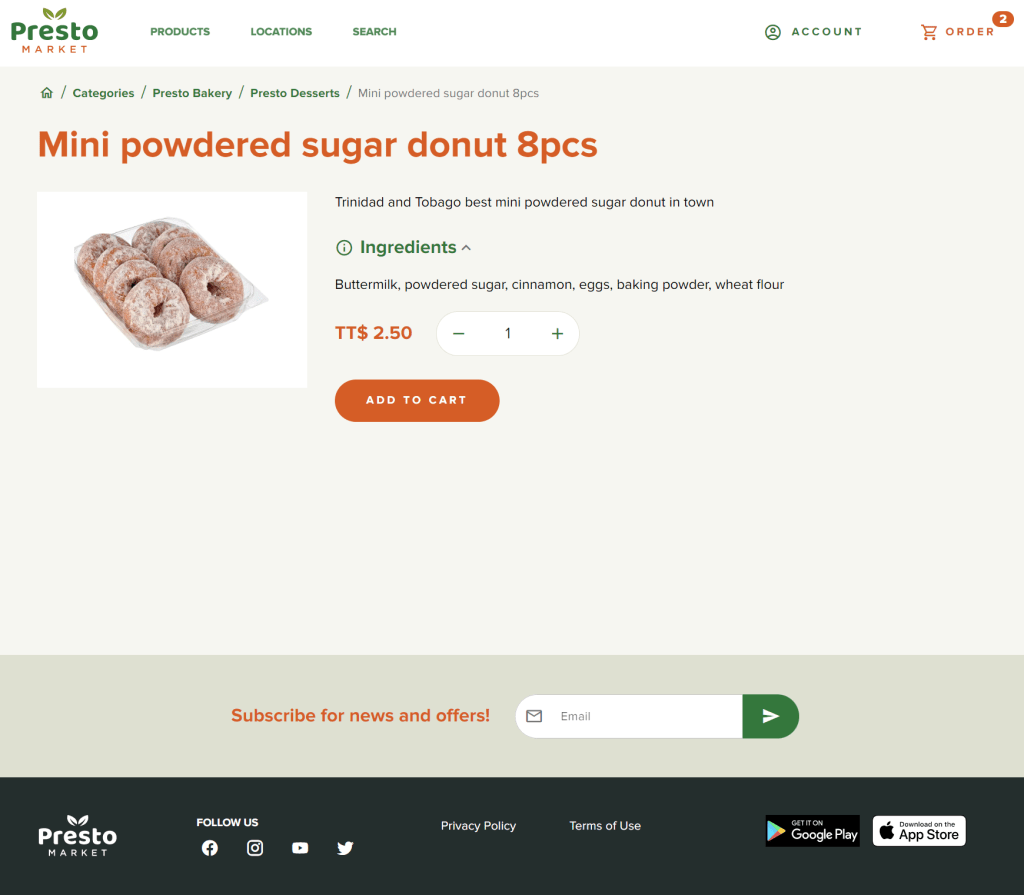
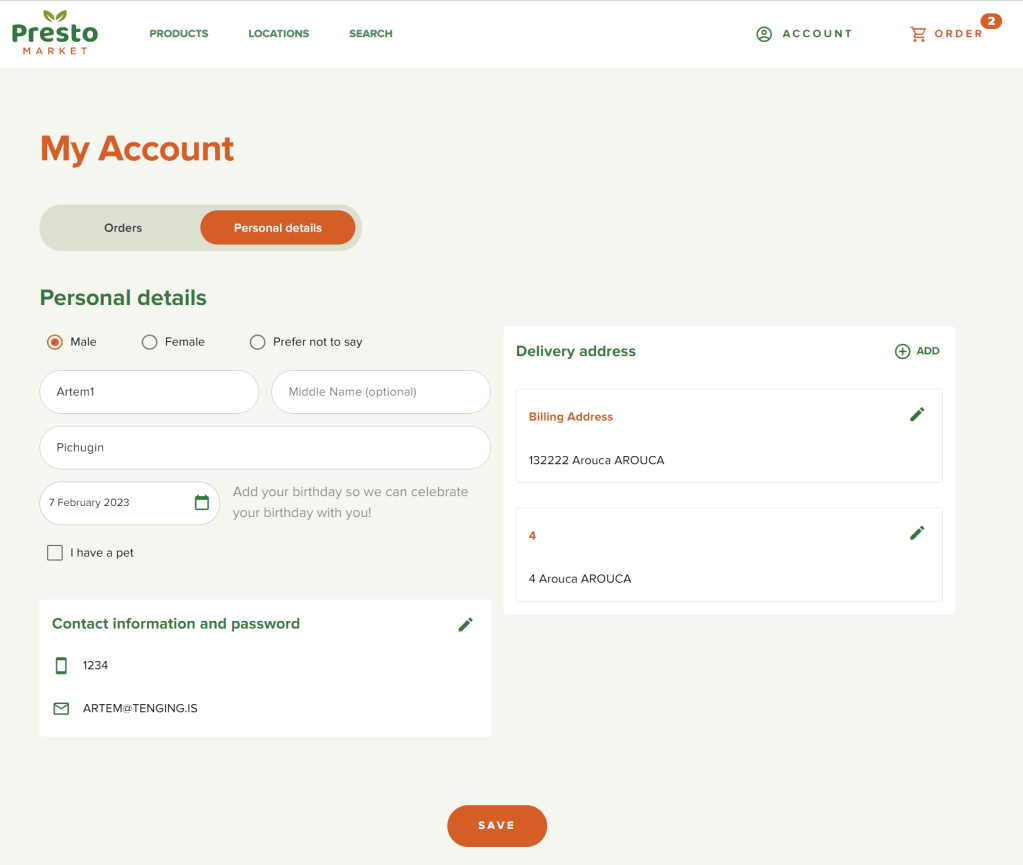
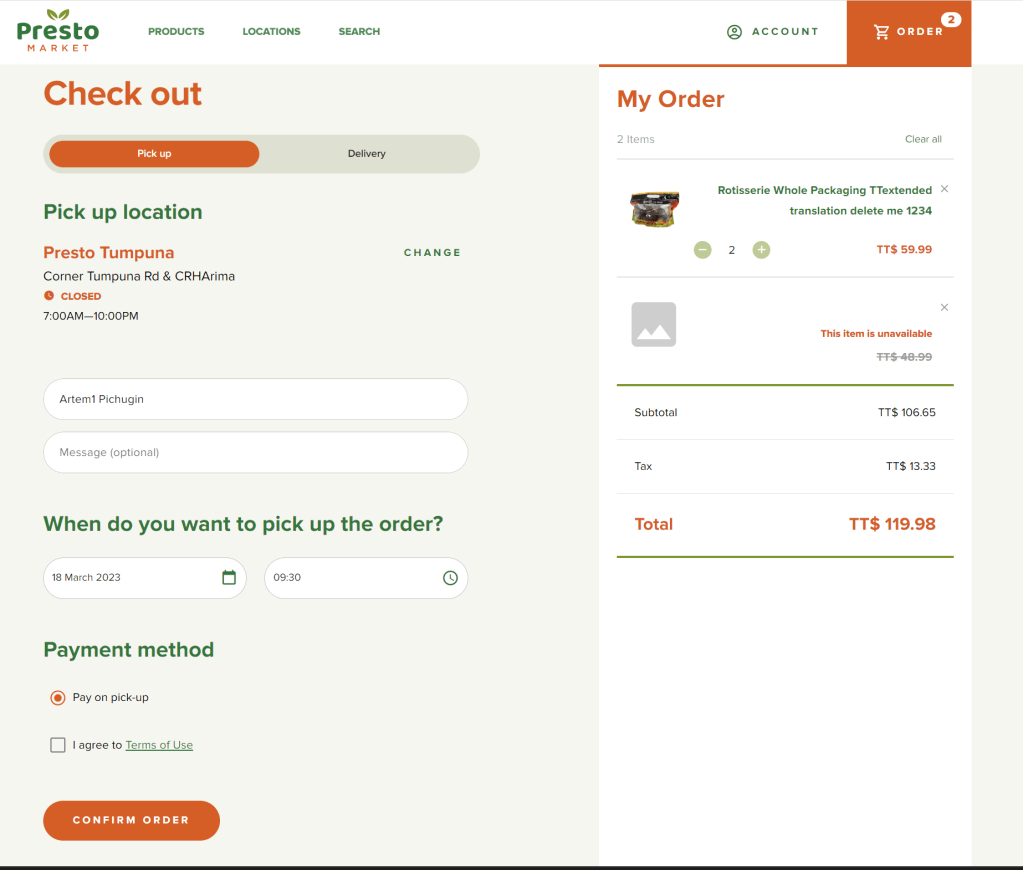
Presto Market is a chain of grocery stores located in Trinidad and Tobago, managed by SuperPharm company. The back office is powered by Microsoft Business Central and LS Retail. In collaboration with Tenging, I participated in the design and development of the Presto e-commerce solution, which utilizes technologies such as Business Central, Node.js BC365 middleware, AWS serverless, and the latest version of Quasar Framework.

The project is currently in the development phase, and a demo version is available at the following URL.

My involvement in the project

  • Solution architecture design.
  • AWS configuration and web application setup.
  • C/AL Codeunit review.
  • API design and implementation.
  • Design and development of Node.js BC365 middleware
  • CSS/HTML template layout from Figma.
  • Frontend development using Quasar Framework.
  • Git source code management and solution deployment.

Pioneer Landscape Centers

Abut Pioneer company

Pioneer is a landscaping service provider in Arizona and Colorado since 1968. With 34 retail locations, 20 quarry and production facilities, and over 200 trucks. The back office is running NAV 2008, NAV 2017, Business Central and LS Retail.

Together with Tenging I designed and developed a set of solutions to optimize Pioneer business process.

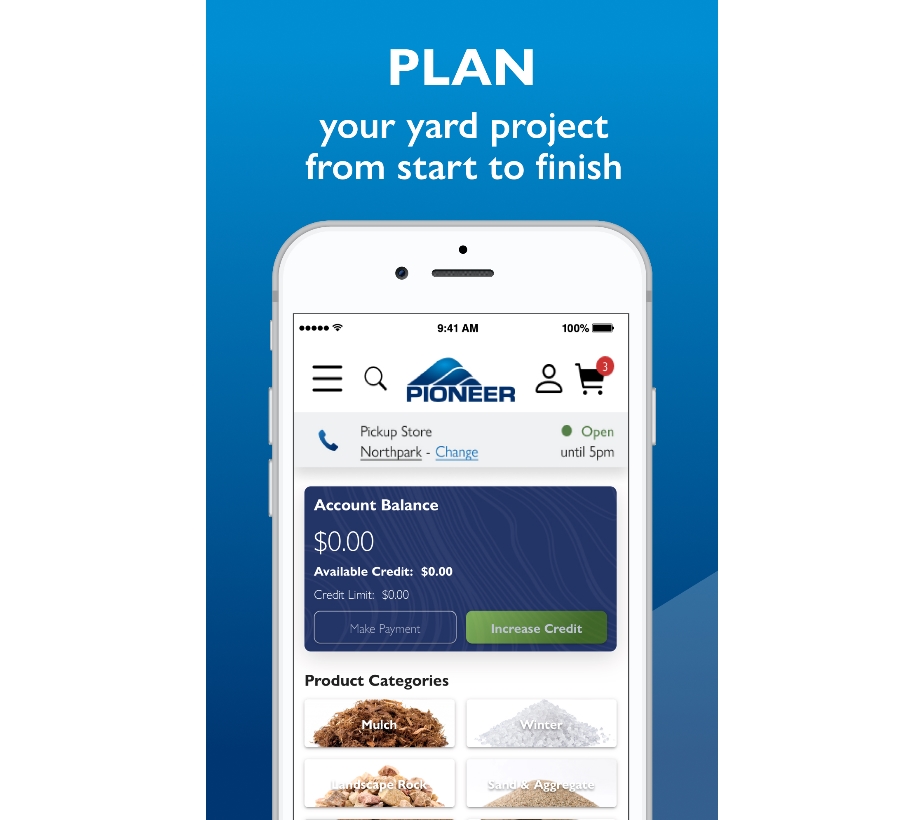
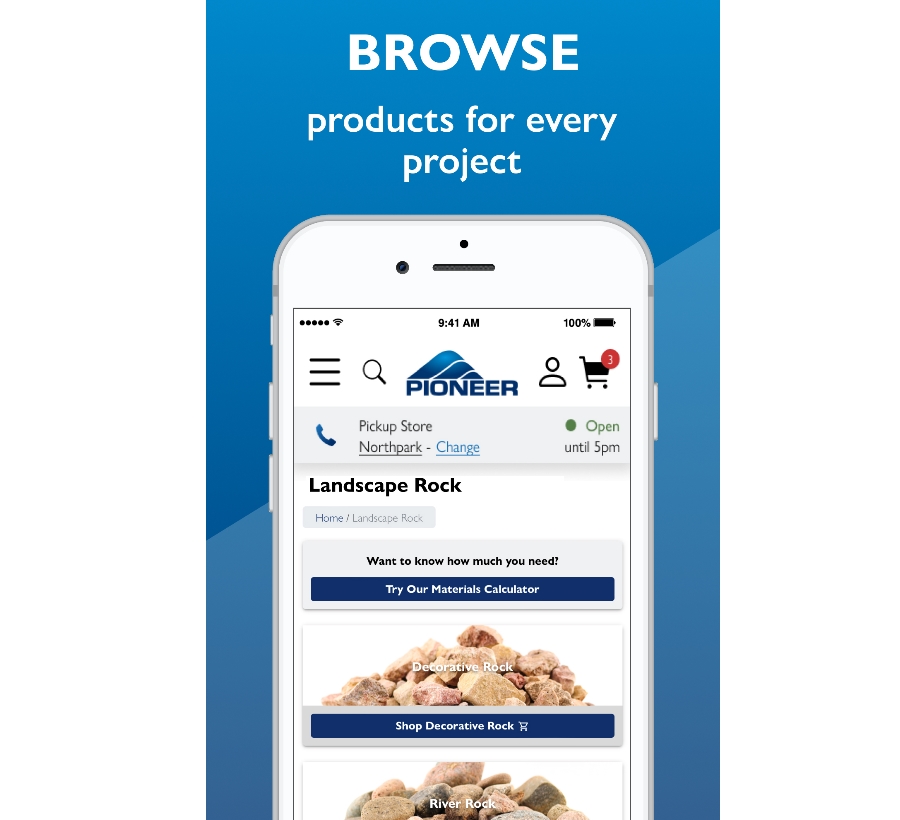
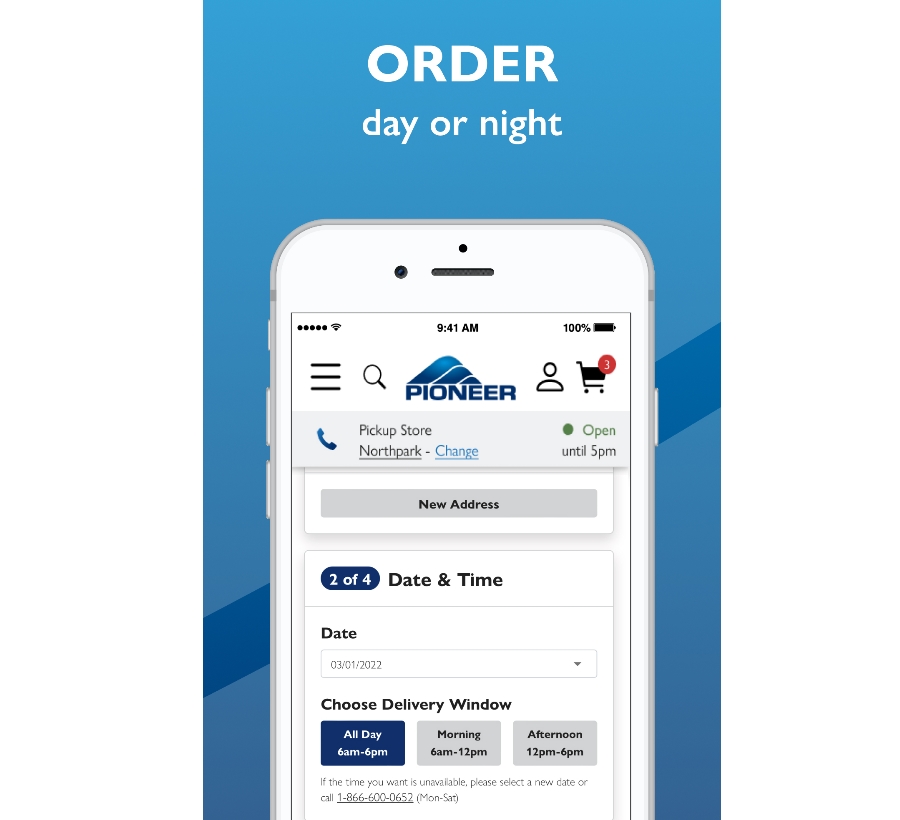
Pioneer e-commerce mobile app

E-Commerce app is a piece of software that allows Pioneer customers to browse and purchase items. Backend part of the application is based on Node.js BC365 Middleware and Business Central.

This architecture allows admins to customize mobile app directly from Business Central:

  • Store images and description, working hours.
  • Setup available pickup/delivery days.
  • Configuring hierarchy nodes.
  • Editing product descriptions and images.
  • Product max Pickup/Delivery quantity.

Frontend part is based on Quasar Framework and its ability to use the same code base for mobile/web/desktop application. Key features of mobile app:

  • Products hierarchy.
  • Real-time inventory level.
  • Popular Products.
  • Materials Calculator.
  • Homeowner or contractor accounts.
  • Account balance and credit.
  • Pickup and delivery Orders.
  • Order history and digital receipts.
  • E-mail and SMS notification.

My involvement in the Pioneer mobile app project

  • Solution architecture design.
  • AWS configuration and web application setup.
  • C/AL Codeunit analysis.
  • Constructing API.
  • Design and development Node.js BC365 middleware.
  • Integration with AWS infrastructure
  • CSS/HTML template layout from Figma.
  • Frontend development using Quasar Framework.

Pioneer Web POS

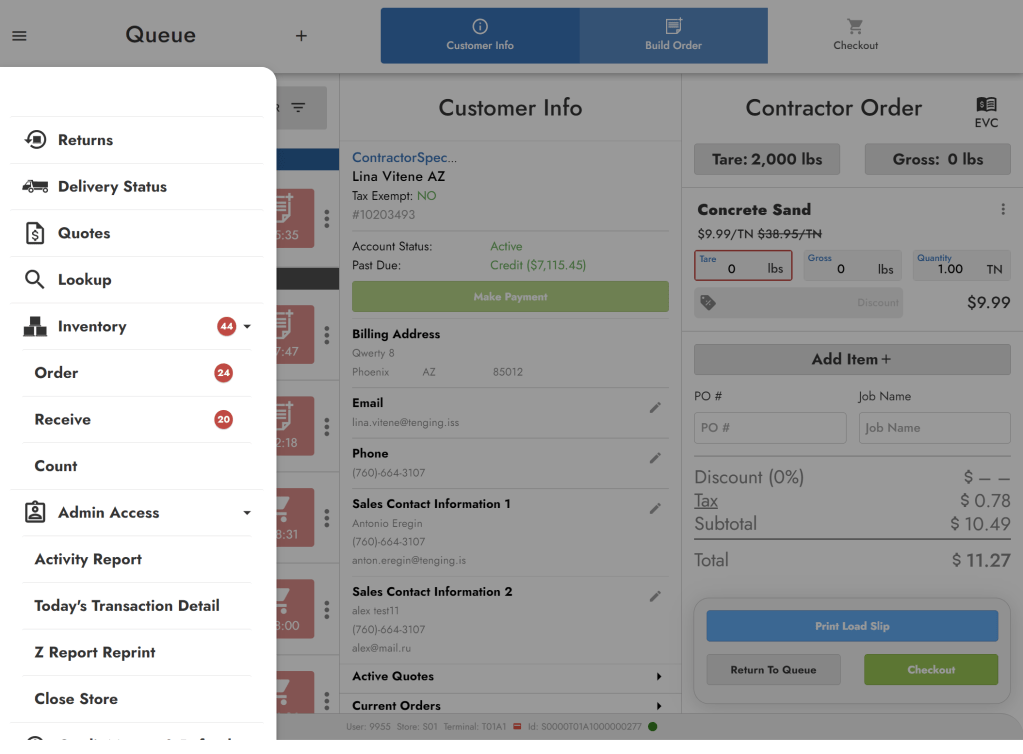
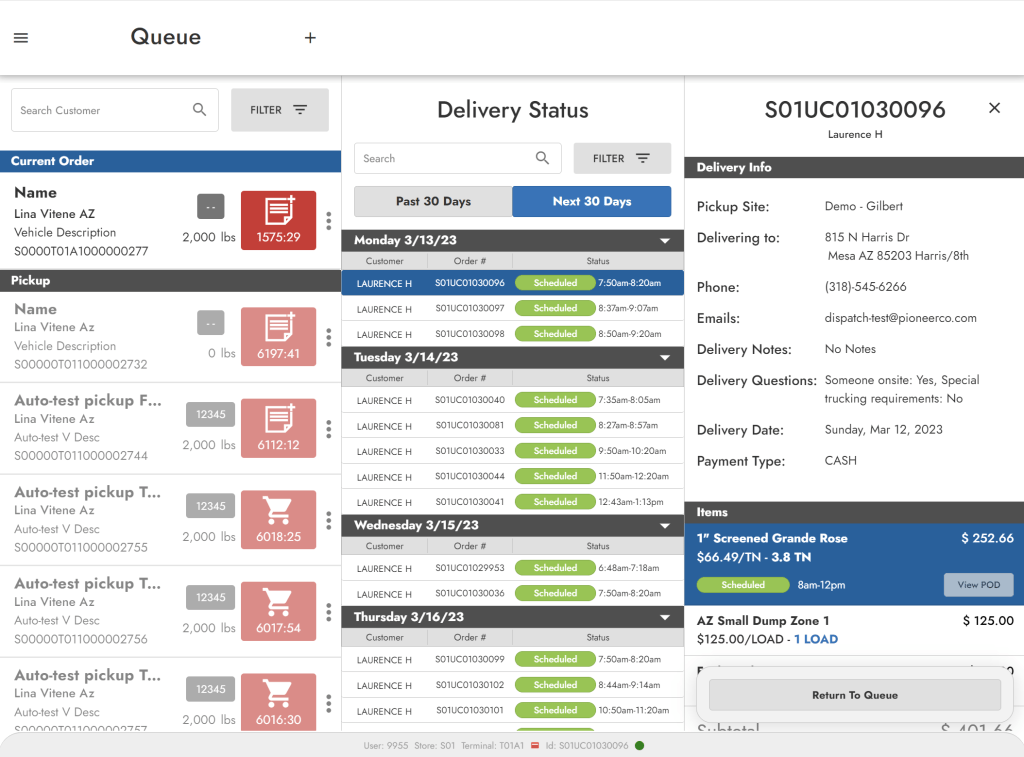
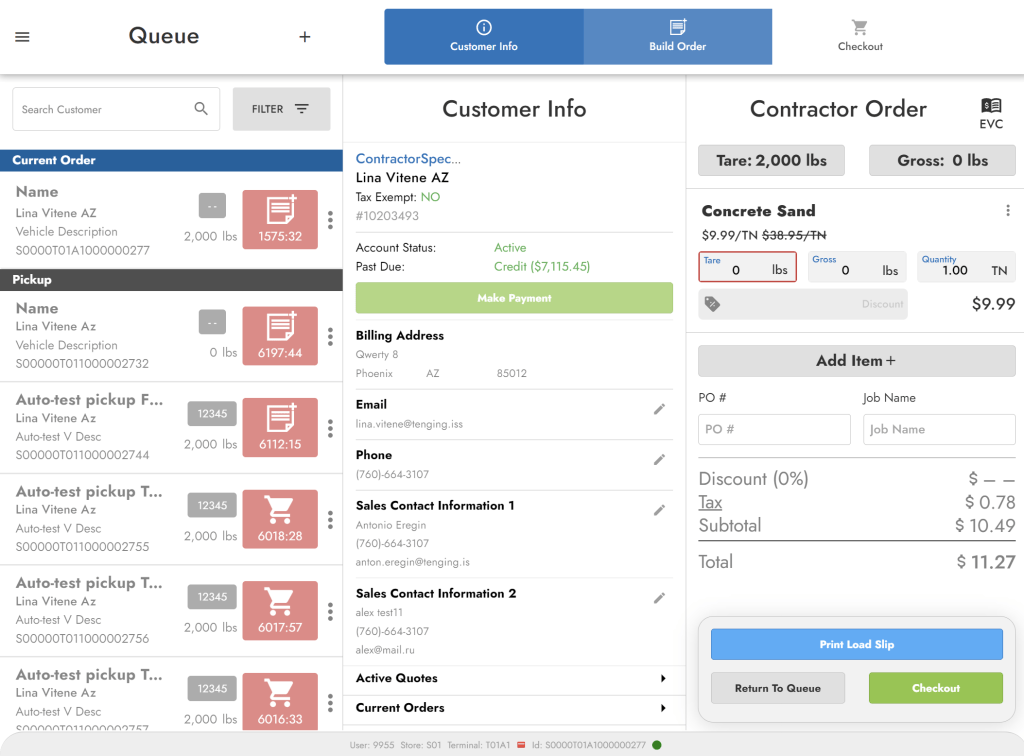
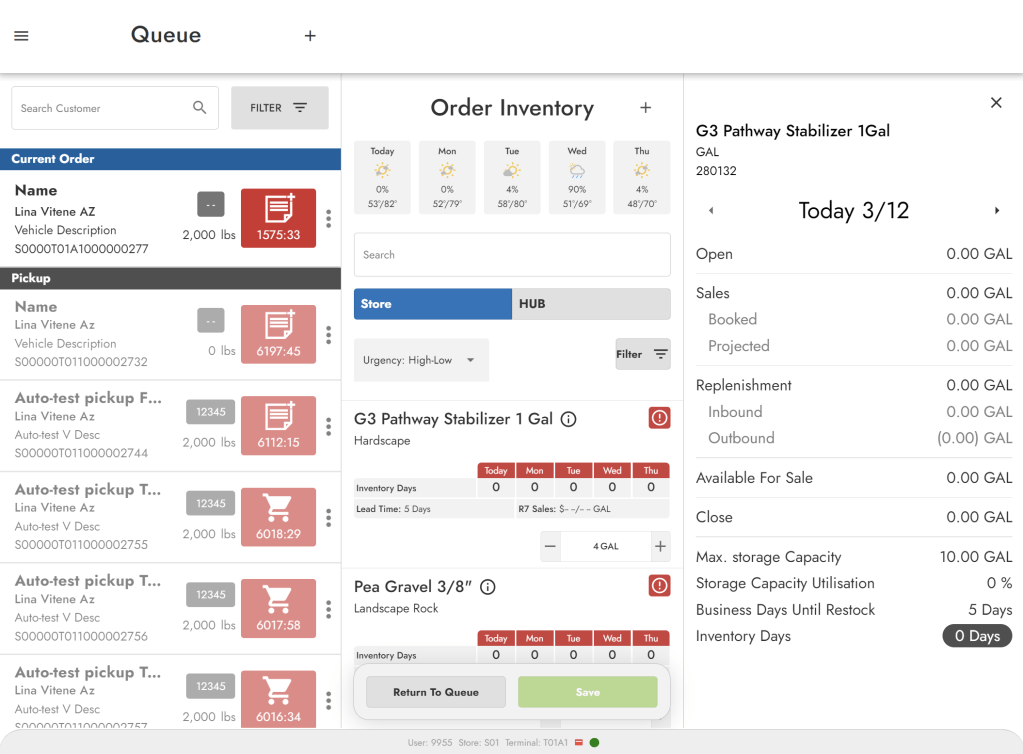
Web-based point of sale is the part of compex SaaS ecosystem developed for Pioneer. Web POS has user friendly interface and helps employees to get used to POS and build orders easily. Web POS is designed to operate with a single user license, which significantly reduces license costs for multi-user access. The backend part of the solution connected to NAV2009/2017 via .NET Core NAV middleware.

Key features of Pioneer Web POS

  • Creating and modifying a customer.
  • Build order by tare amount.
  • Create a customer quote.
  • Create a delivery order.
  • Creating a pickup order.
  • Cash, credit card, account balance, check payments types.

My involvement in the Pioneer Web POS project

Node.js BC365 middleware

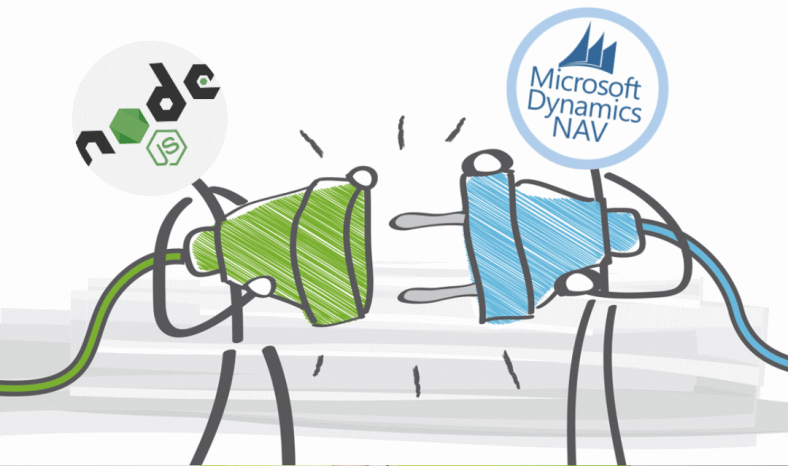
Connecting Node.js with Dynamics 365 Business Central

In this article, I will guide you on how to transfer data between Dynamics 365 Business Central and Node.js in JSON format. The approach to creating a Node.js BC365 middleware is similar to the one in our previous article on creating a .NET Core NAV middleware. In that article, we described how to publish a codeunit with an entry point function “GetJSON” using SOAP and OData V4.

This article will focus on the following topics:

  1. How to transfer JSON data between Node.js and BC365.
  2. How to consume a published codeunit and build an API to manage BC365 data using Node.js.
  3. How to leverage AWS Cloud and serverless architecture to host a Node.js application.
  4. How to use Bitbucket and Pipelines to automate publishing and development processes.

Creating GetJSON entry point function

In Dynamics 365 Business Central, it is feasible to expose a function as a web service action using OData V4. This represents a more advanced and modern approach to interacting with 365 Business Central, surpassing the SOAP Web services method.

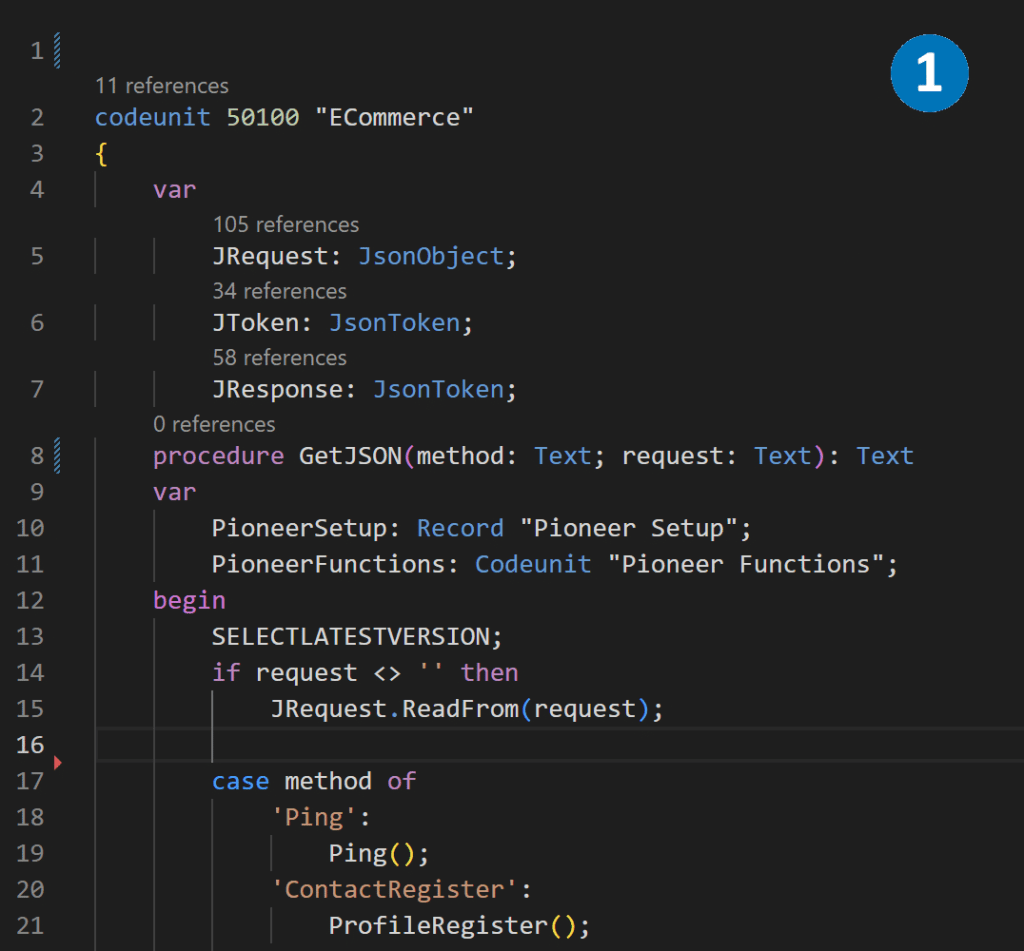
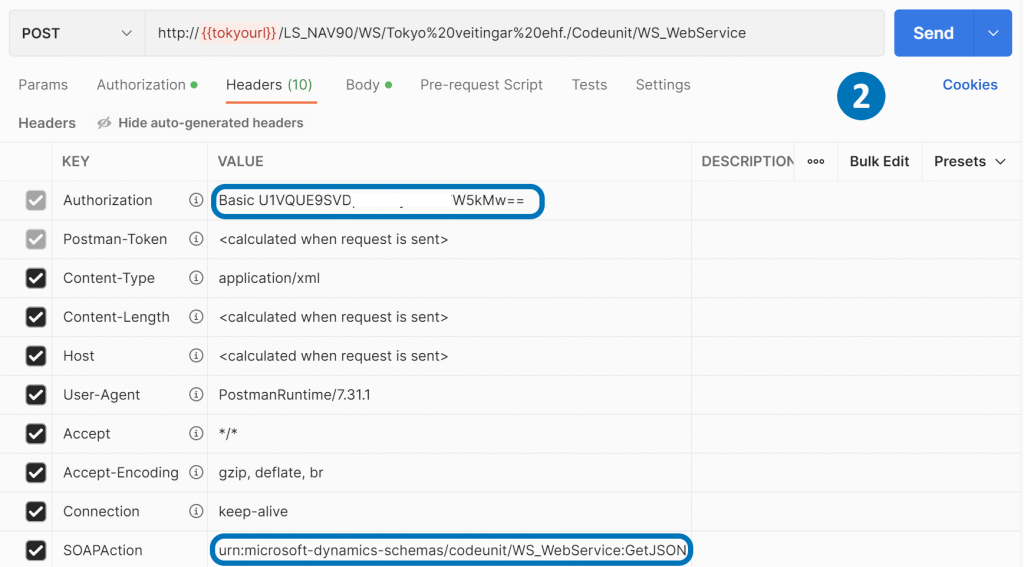
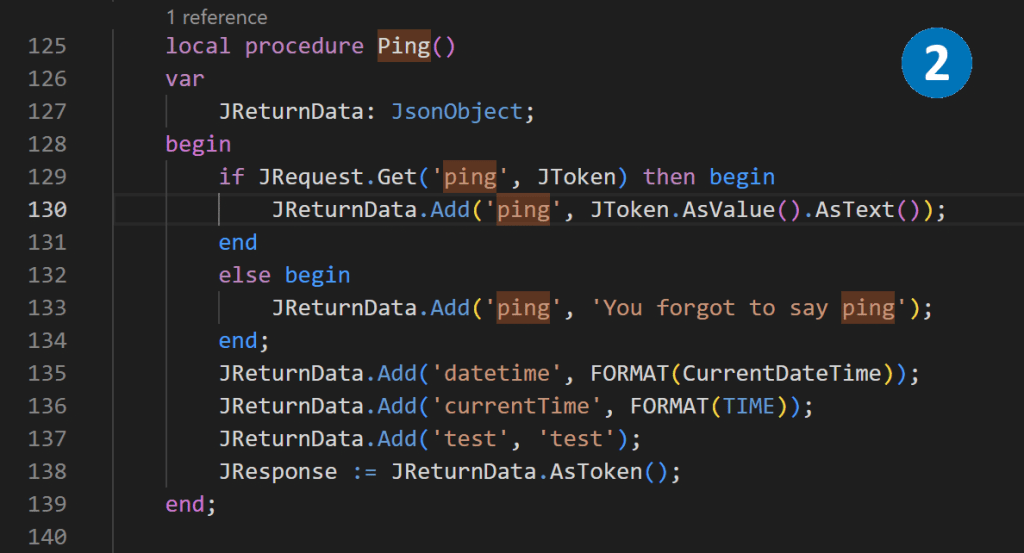
  1. Using Visual Studio Code, we can create codeunit with GetJSON function. This function takes method and request as input parameters and returns text in JSON format. GetJSON is the central entry point, and depending on the method, it distributes data to the internal functions of the Codeunit..
  2. As an example, we can create a Ping function that simply sends to the output whatever it receives as an input parameter.
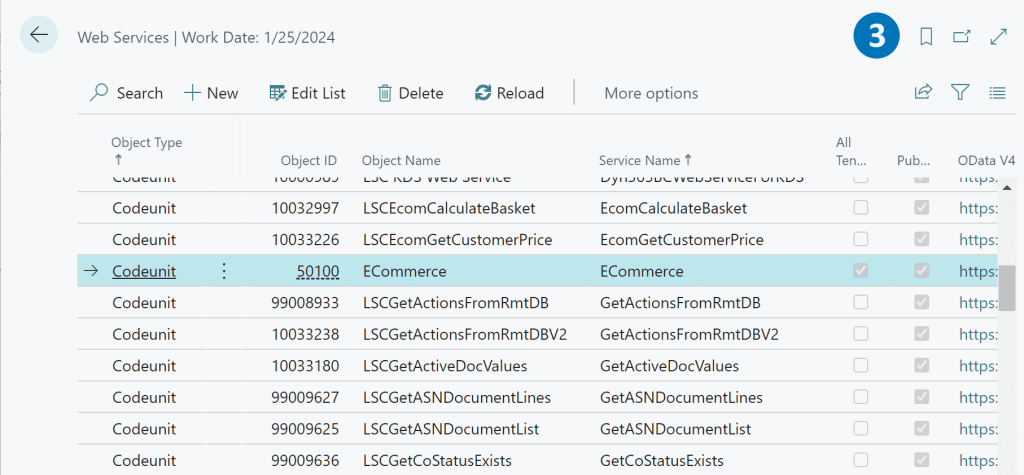
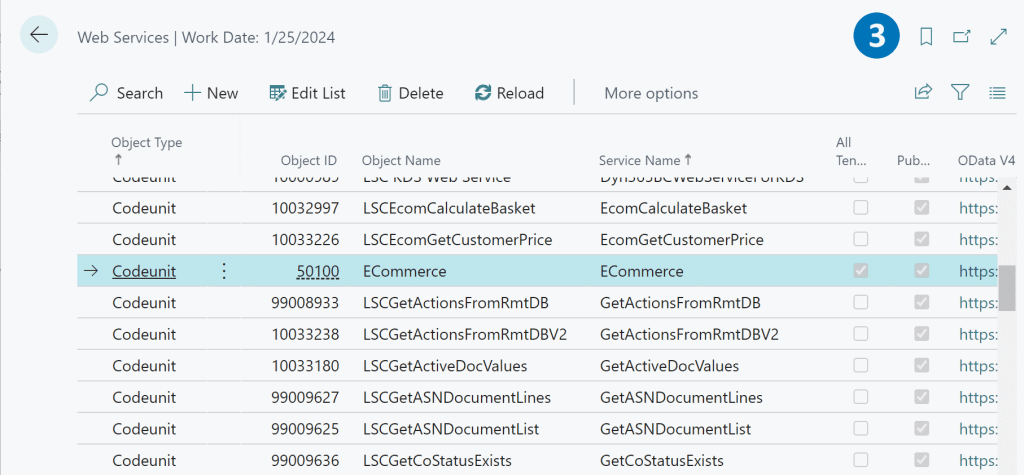
  3. Codeunit is published as an OData V4 service.

Using node-fetch library to retrive data from GetJSON function.

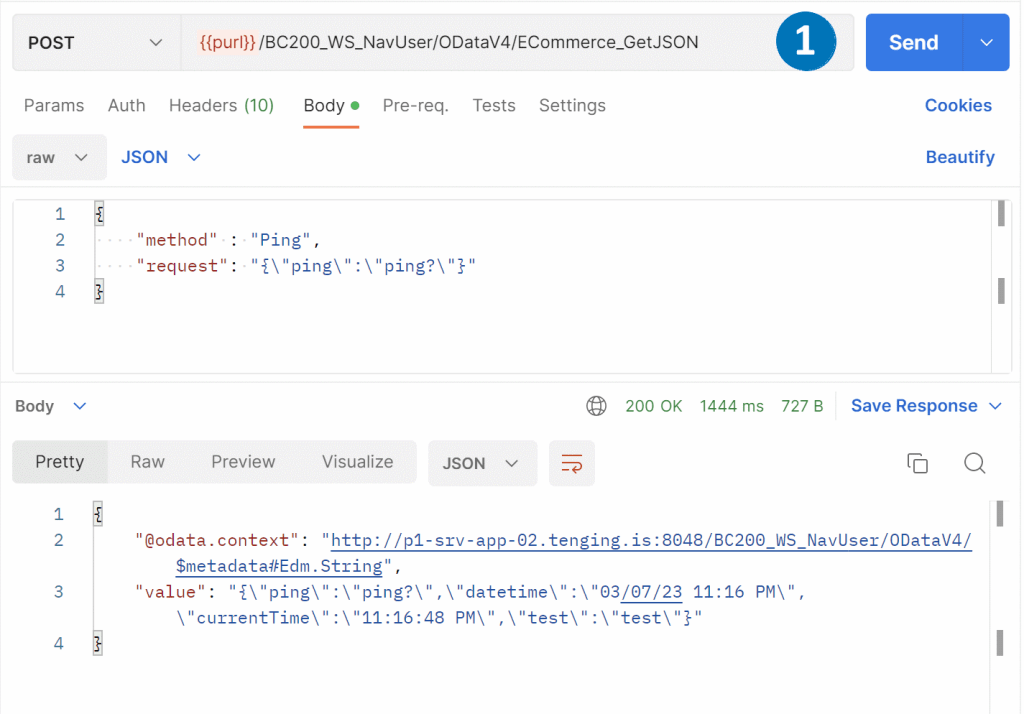
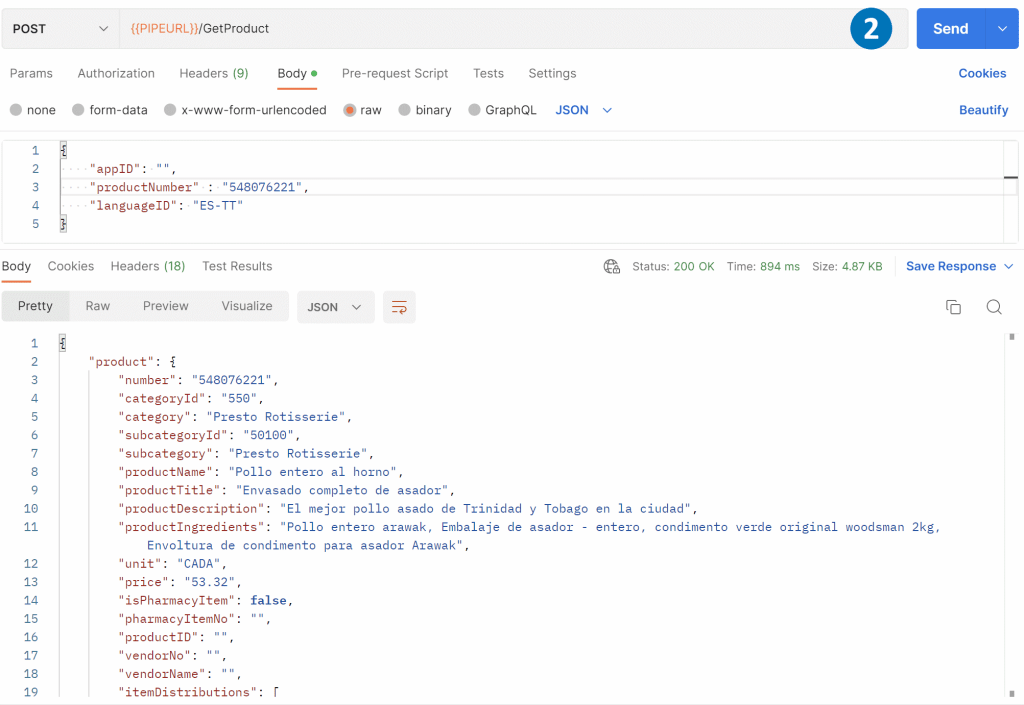
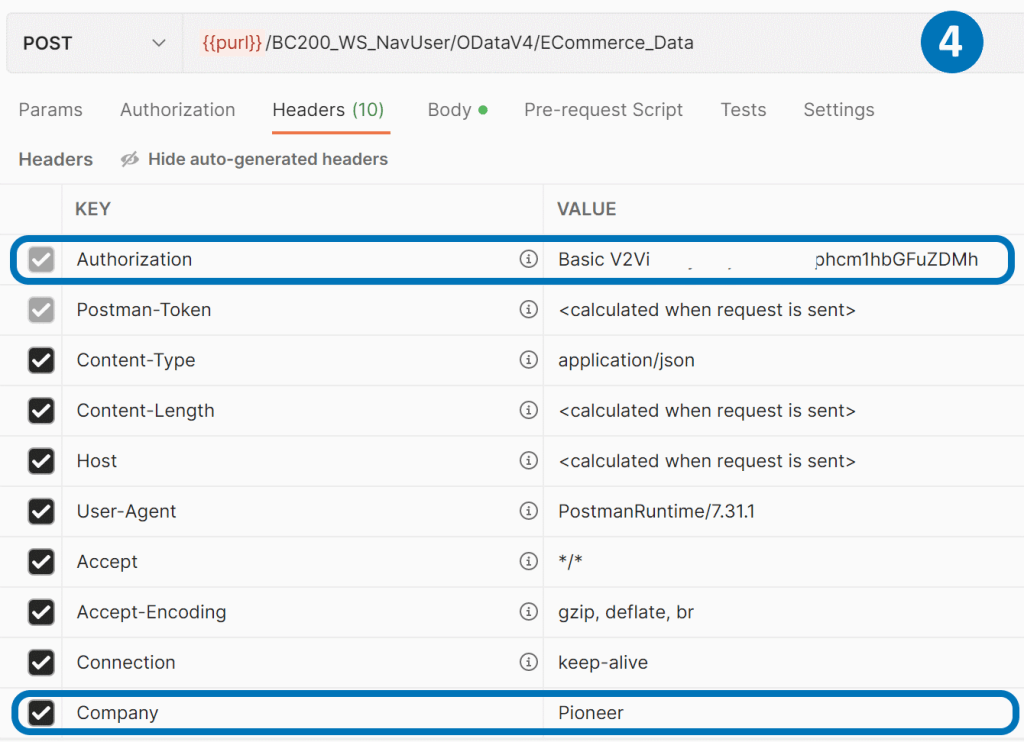
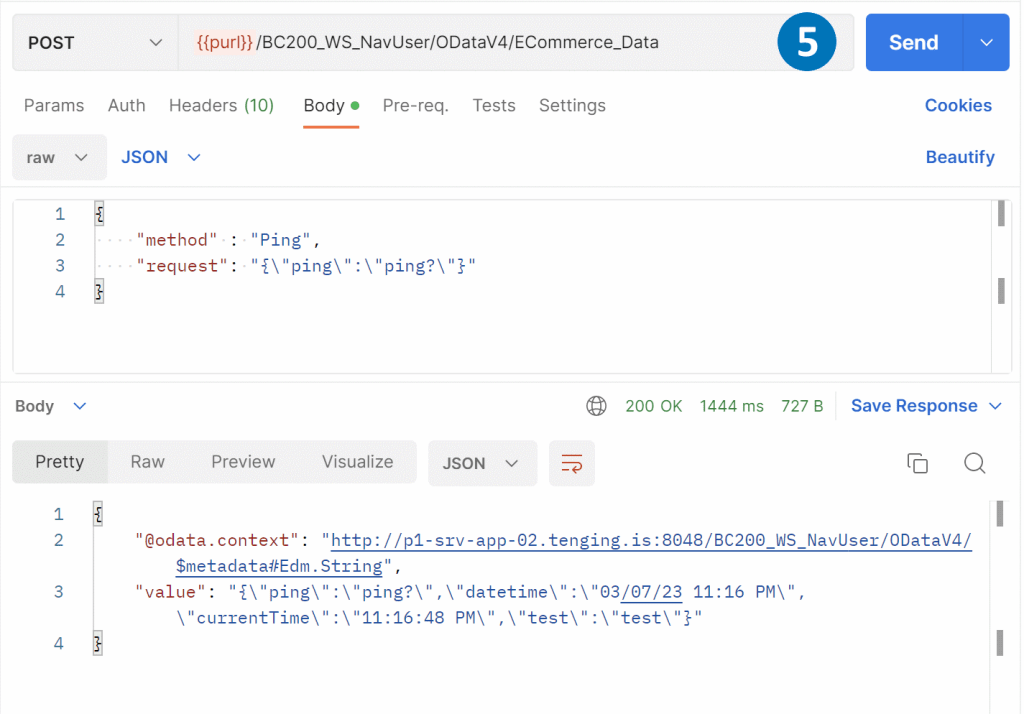
  1. Once we’ve published the Codeunit via OData V4, we can access it using the URL https://BaseUrl/NAVMiddleTierName/ODataV4/CodeunitName_FunctionName. The JSON object we pass in the body should match the input parameters of the GetJSON procedure, which includes the method and request in text format.
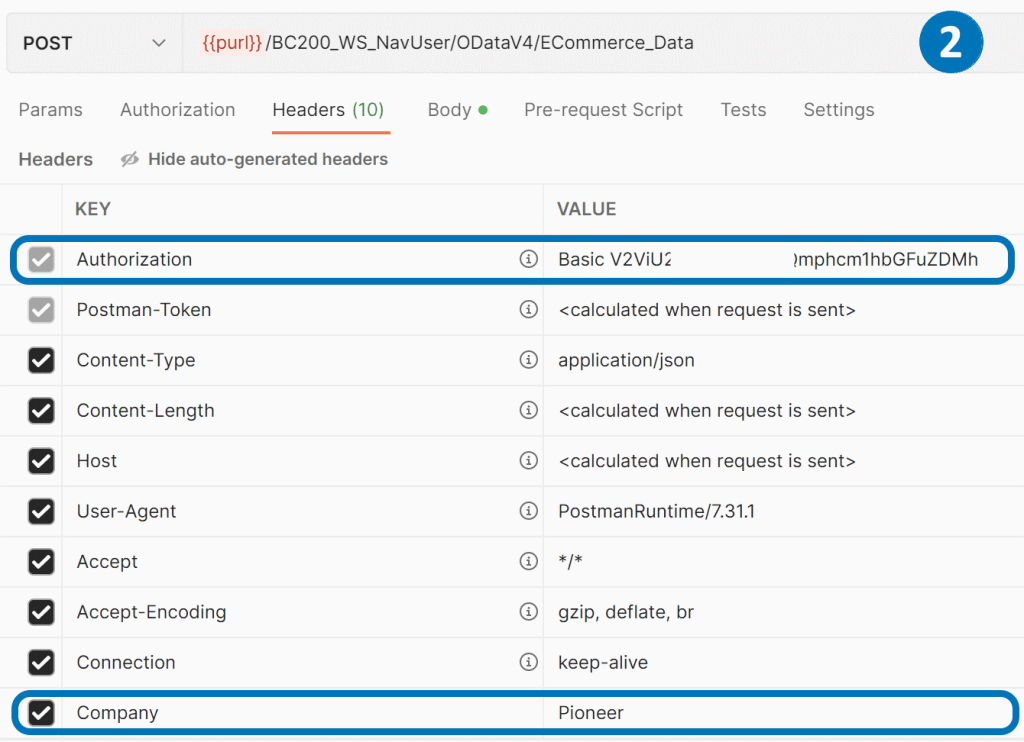
  2. To ensure a successful POST call, we need to include special headers, such as the Authorization and Company name.
  3. We can use the node-fetch library to retrieve the JSON data from BC365 by making a call to the URL.

Building API to manage BC365 data with node.js.

After successfully receiving BC365 data in Node.js, the next step is to build an API and expose it for implementation by other systems. One way to do this is to use the AWS cloud to host the Node.js application and a serverless model to manage it. By using serverless architecture, we can focus on writing code rather than managing infrastructure. AWS provides several services, such as AWS Lambda and API Gateway, that can be used together to create and deploy serverless APIs quickly and easily. With a serverless approach, we only pay for the resources our application consumes, and we don’t have to worry about scaling, availability, or security.

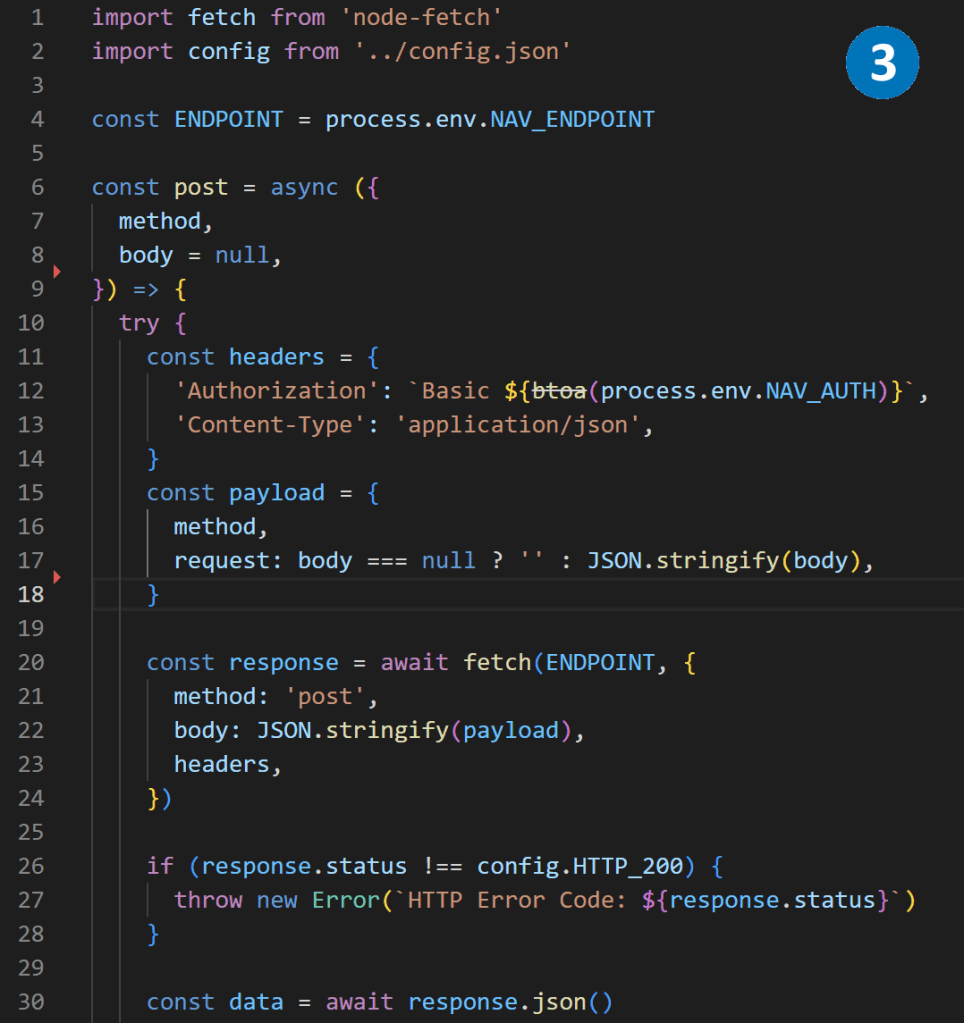
  1. We can use the express.js library to write a controller that manages incoming HTTPS requests and passes them to the BC365 Codeunit function GetJSON. This library allows us to configure routing names, request types, error handling.
  2. After wrapping, the API looks more friendly for consumers and requests can be called anonymously. We can even add caching, JWT authorization, and other features at this level.
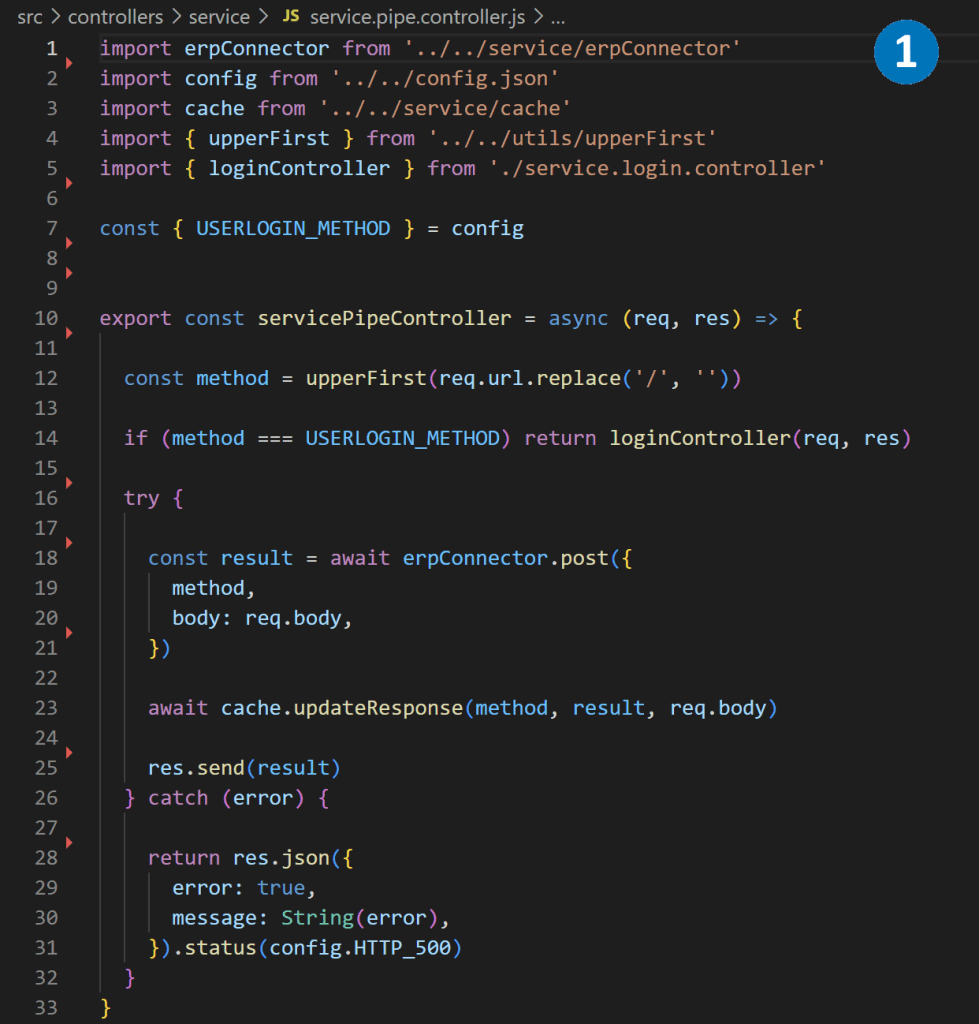
  3. With the API wrapped, it’s ready for frontend developers to use in building web and mobile applications. For example, they can use the API to get product information and display it on a web page.
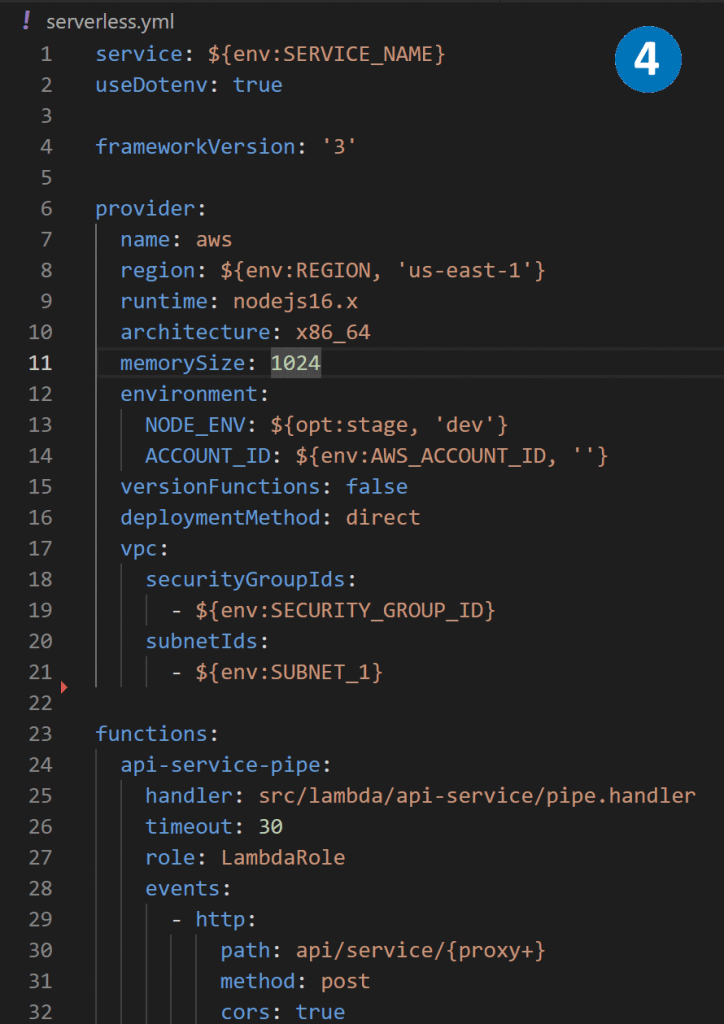
  4. To host the node.js application on AWS, we can use a serverless. yml file to describe the application’s functions, resources, plugins, and other necessary configuration information. This prepares the application to be hosted on AWS Lambda using a serverless model.

Hosting Node.js BC365 middleware as AWS Lambda.

AWS Lambda is a serverless compute service that enables running code without the need to provision or manage servers. Serverless architecture allows for launching apps only when needed. When an event triggers the code to run, the public cloud provider dynamically allocates resources for the code. The user stops paying when the code finishes executing, leading to cost savings and greater efficiency. Additionally, serverless architecture frees developers from the routine and menial tasks associated with app scaling and server provisioning, allowing them to focus on writing code and building applications.

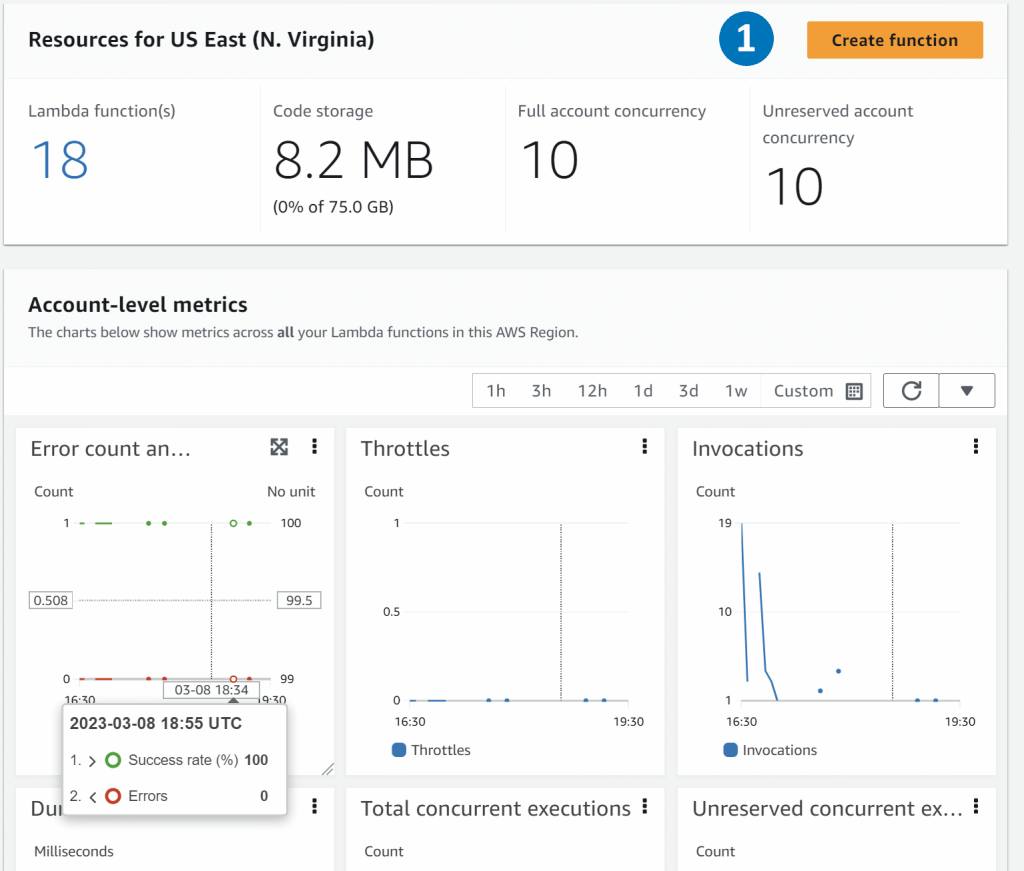
  1. The Lambda service comes with seven metrics for your functions out of the box. Invocations, duration, error count, throttles, async delivery failures, iterator age, and concurrent executions.
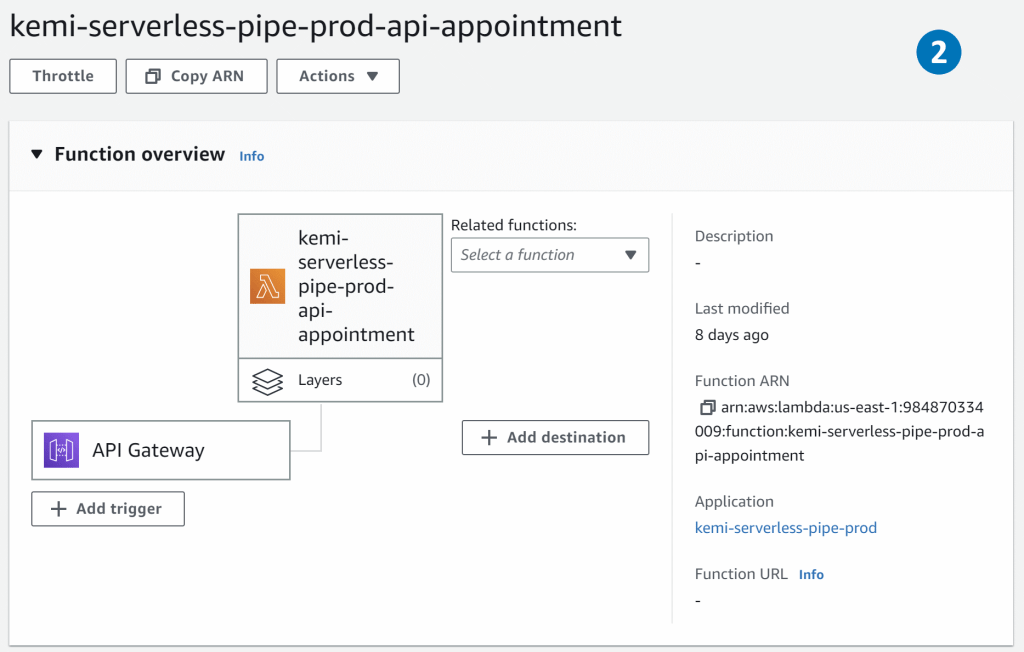
  2. The function overview feature helps you to see triggers, layers, and destinations associated with your function. You can also view AWS services or resources that invoke the function, resources that contain libraries, custom runtime, or other dependencies.
  3. CloudWatch Logs allows you to centralize the logs from all your systems, applications, and AWS services that you use, in a single and highly scalable service

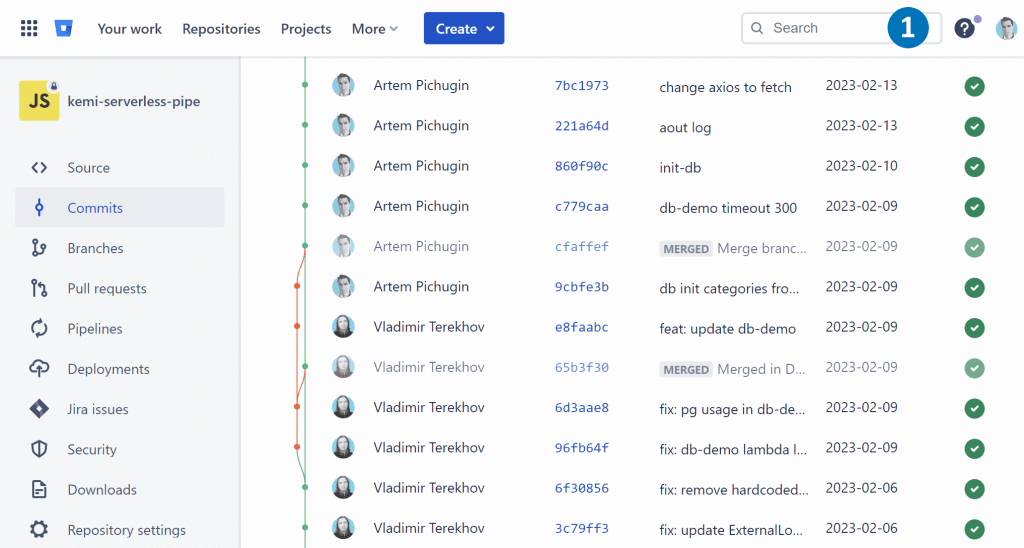
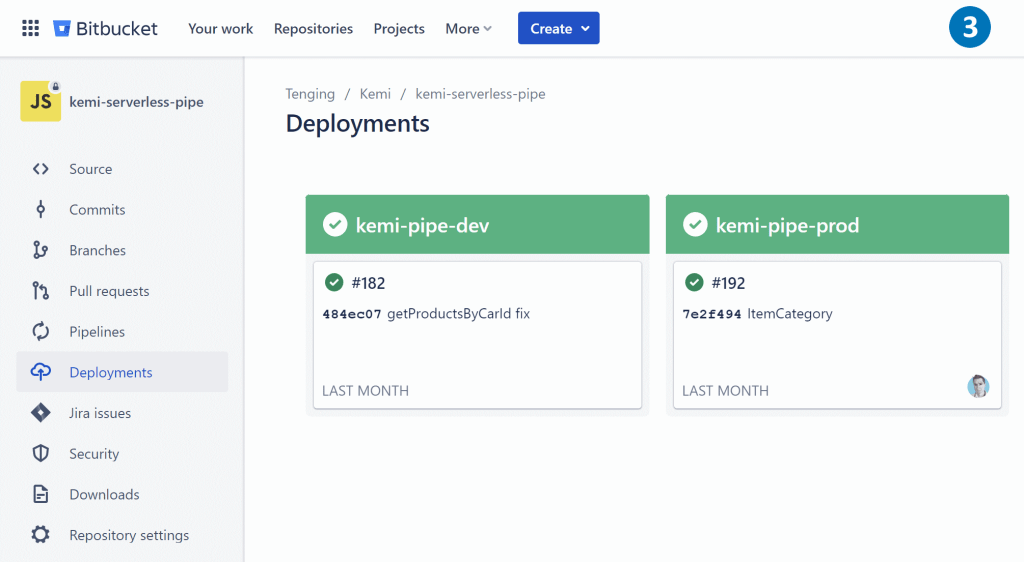
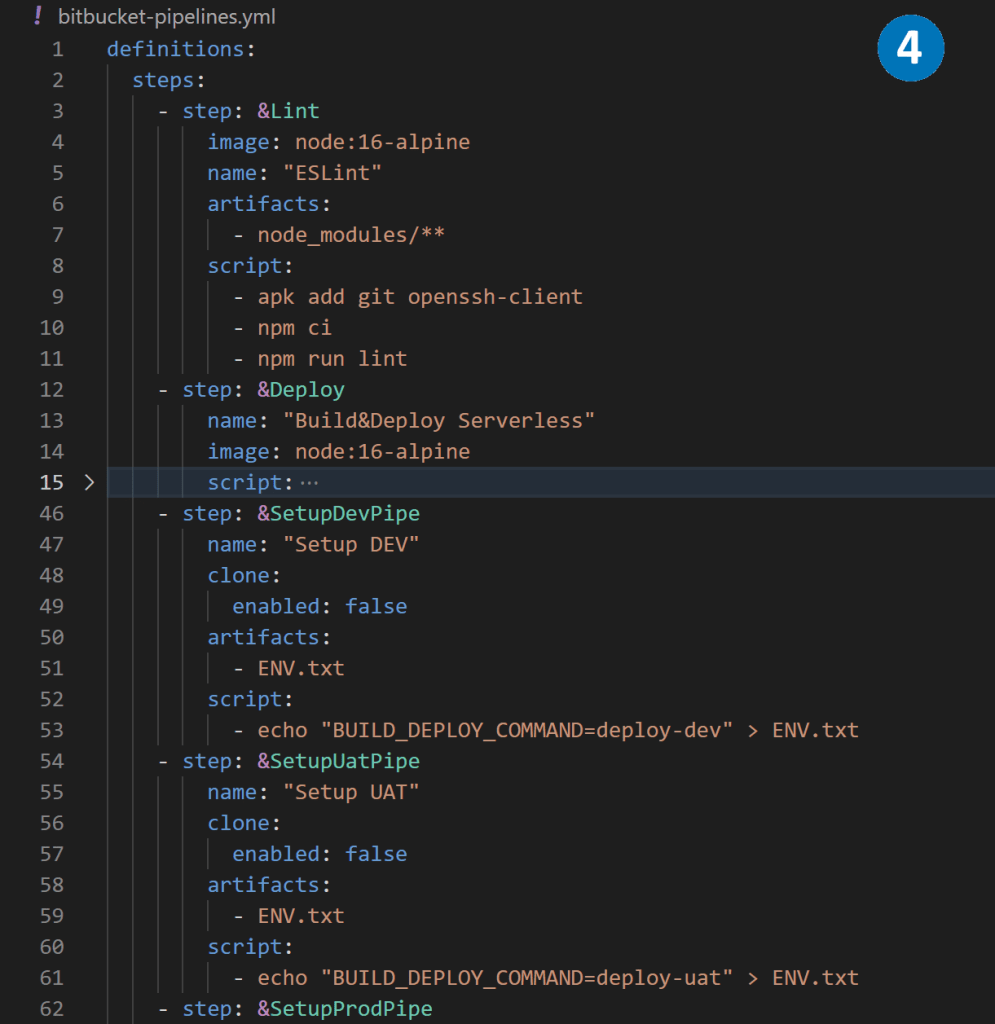
Using bitbucket pipelines to deploy Node.js BC365 middleware.

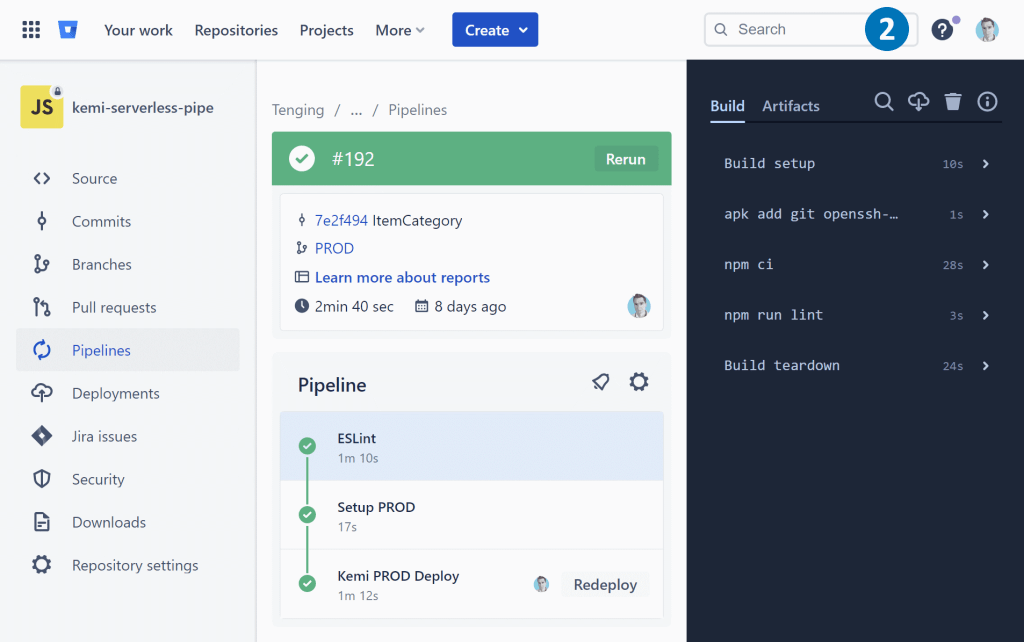
Bitbucket Pipelines is a comprehensive CI/CD service that comes integrated with Bitbucket. It allows developers to automate their build, testing, and deployment processes using a configuration file in their repository. This configuration file is called bitbucket-pipelines.yml and is usually located at the root of the repository.

With Bitbucket Pipelines, developers can define a pipeline that consists of multiple stages, each of which can have one or more jobs. These jobs can be used to build and test the code, generate artifacts, and even deploy the code to different environments.

By setting up a Bitbucket Pipeline, developers can streamline their development workflows, ensure the code quality, and rapidly deliver their applications to production.


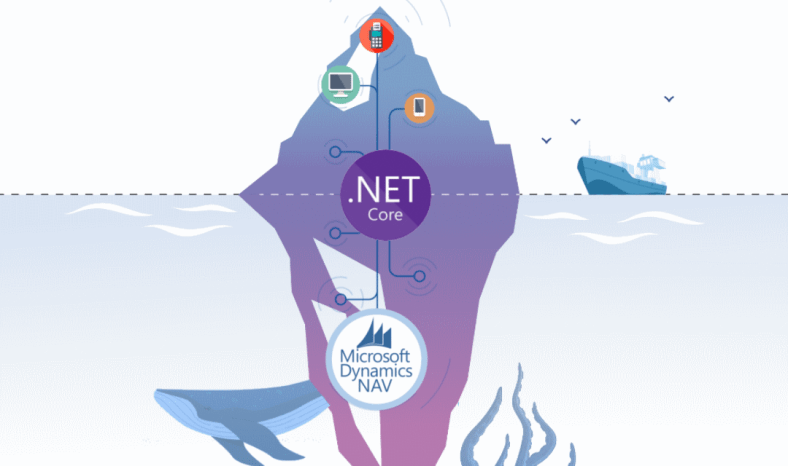
.NET Core NAV middleware

Transfer data between .NET Core and NAV

In this article, I will discuss different methods to transfer data between .NET Core and NAV in JSON format. We will also explore how to consume published NAV codeunit using .NET Core and build an external API to manage NAV data.

The implementation of .NET Core NAV middleware can vary based on the NAV version, authentication types, and data specifics. In this article, we will discuss three different ways of implementing the middleware.
.NET Core NAV middleware based on SOAP web services and WCF

This approach works for NAV2009-NAV2018 when codeunit is published as SOAP web service.

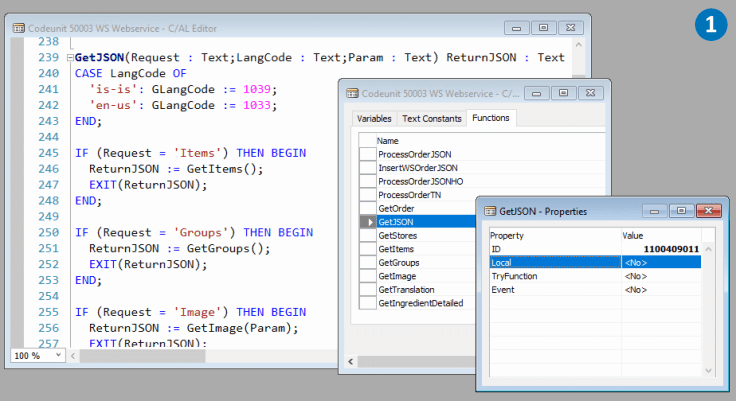
  1. The core of our .NET Core NAV middleware is the Codeunit, which exports the external function GetJSON. This function takes Request and Param as input parameters and returns ReturnJSON in JSON format. GetJSON is the central entry point, and depending on the Request, it distributes data to the internal functions of the Codeunit.
  2. For instance, an internal function, GetItems, returns a list of products in JSON format using the Newtonsoft.Json library as a .NET add-on.
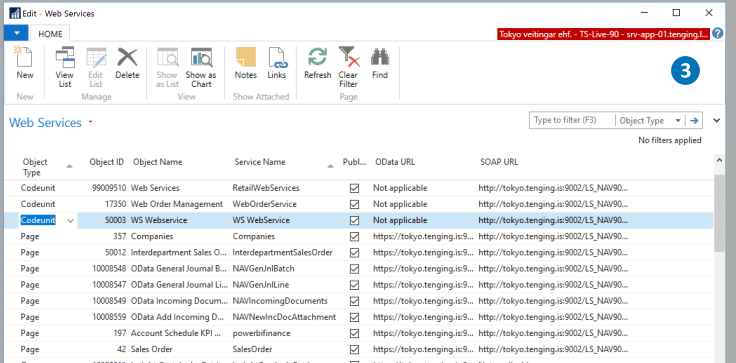
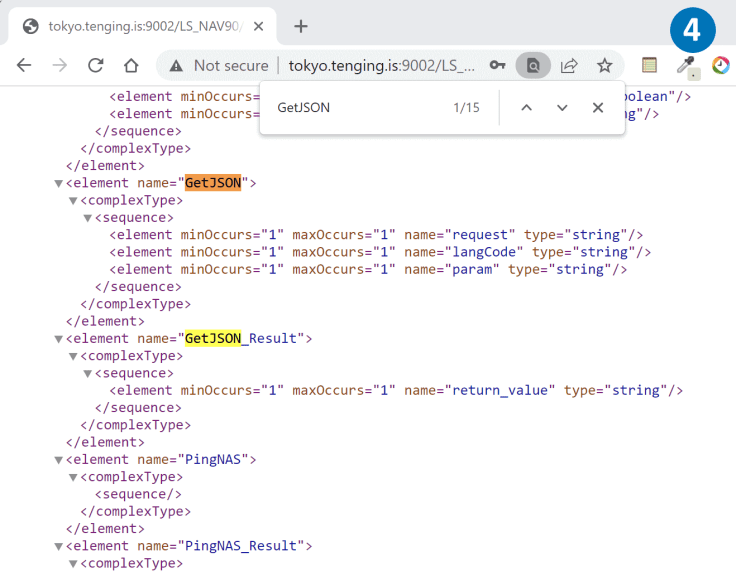
  3. To make our Codeunit available to .NET Core, we publish it as a SOAP Web service with a specific URL.
  4. By opening this URL in a browser, we can see the WSDL metadata of the published GetJSON function.
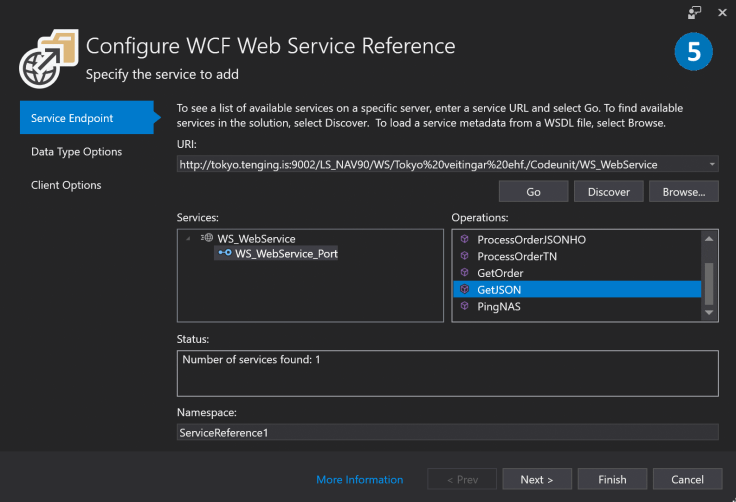
  5. To connect the published Codeunit, we use Visual Studio tools and CoreWCF, which is a port of the service-side of Windows Communication Foundation (WCF).
  6. The WCF library generates all the necessary proxy classes automatically.
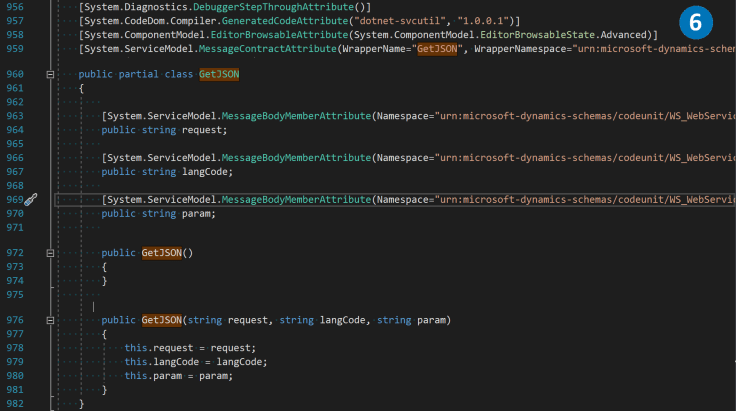
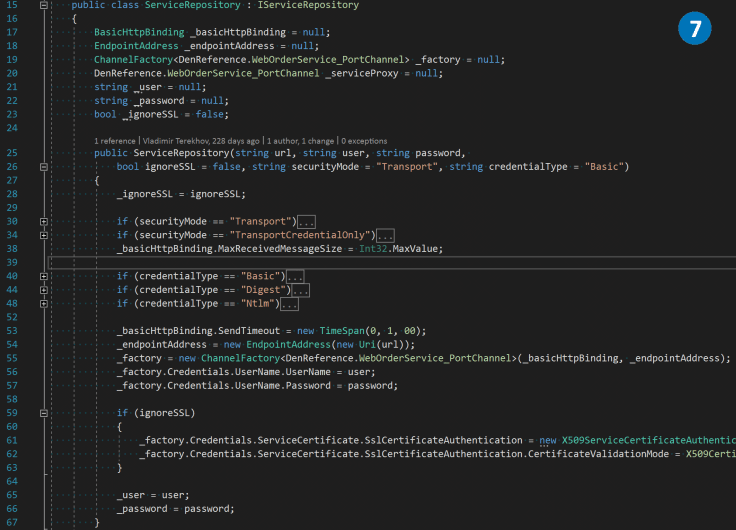
  7. Using the generated proxy classes, we create a ServiceRepository class, which manages the connection channel.
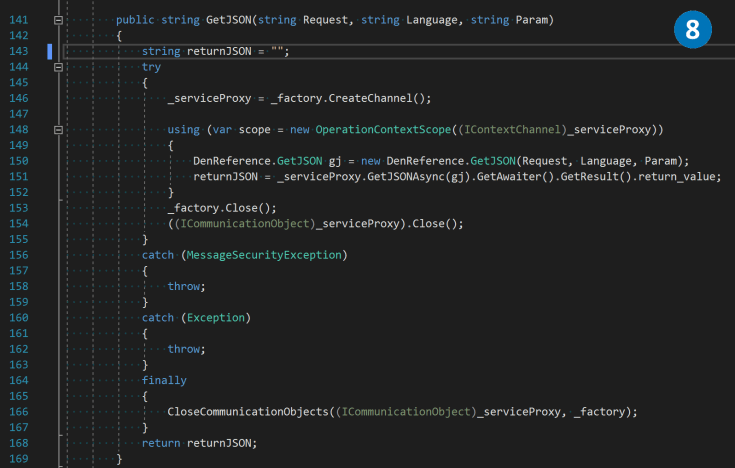
  8. In the ServiceRepository class, we create a wrapper over the GetJSON function to establish a connection between the NAV middle tier and the .NET Core NAV middleware.

.NET Core NAV middleware based on SOAP web services and System.Net.Http.HttpClient

To establish a more convenient and lightweight connection with NAV in certain scenarios, one can avoid using WCF. By employing basic authorization and maintaining the GetJSON function signature, the System.Net.Http.HttpClient library can be utilized for sending simple POST or GET requests in XML format. This approach can streamline the process and offer a simpler solution for certain use cases.
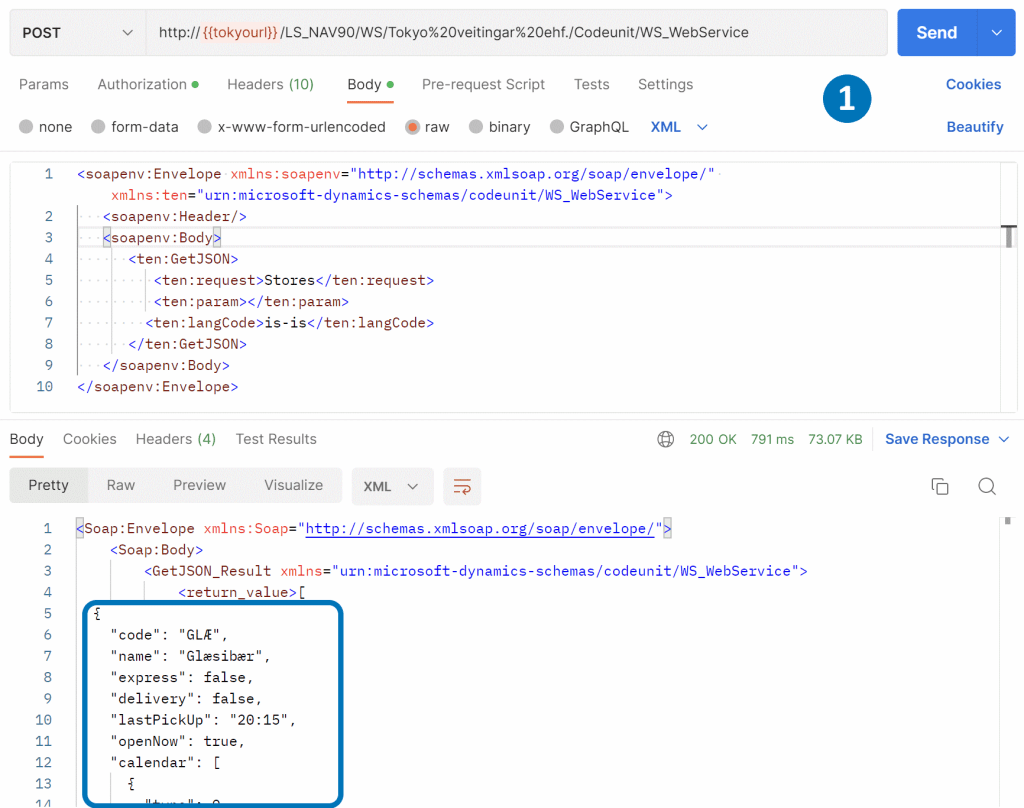
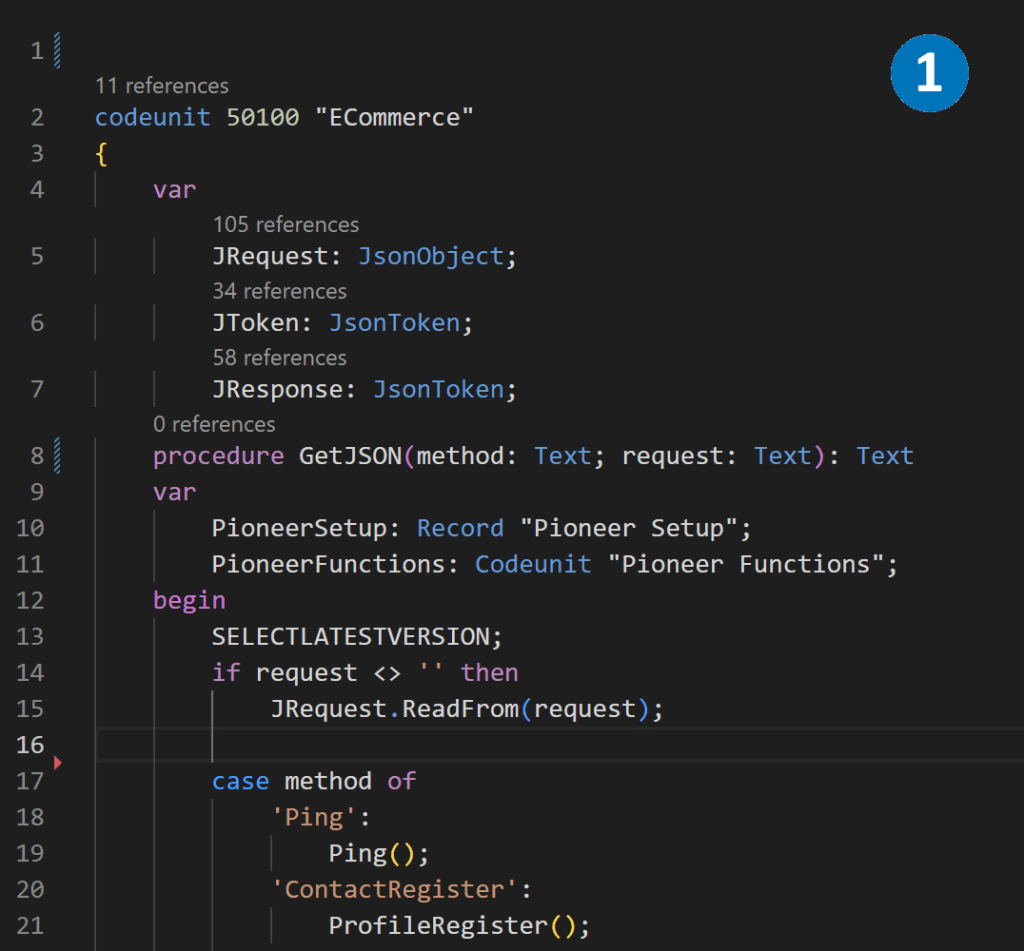
  1. To communicate with a published SOAP service, we can directly provide an XML envelope that adheres to specific rules. The JSON data from the <return_value> XML tag can be easily extracted from the request response body.
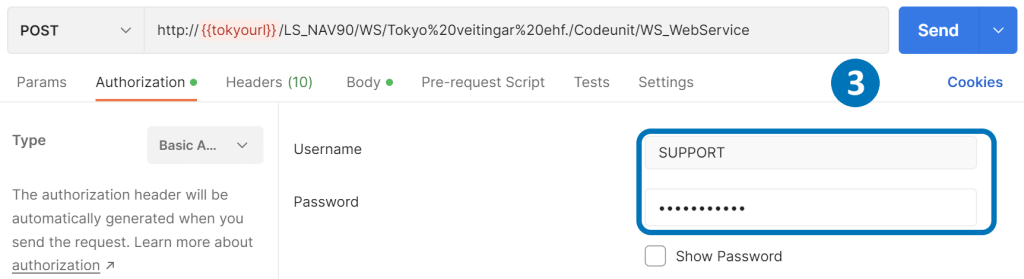
  2. To pass authorization in the SOAP service, we need to provide the login and password encoded in a base64 string as the Authorization header. Additionally, we should include the codeunit name and function name as the SOAPAction header.
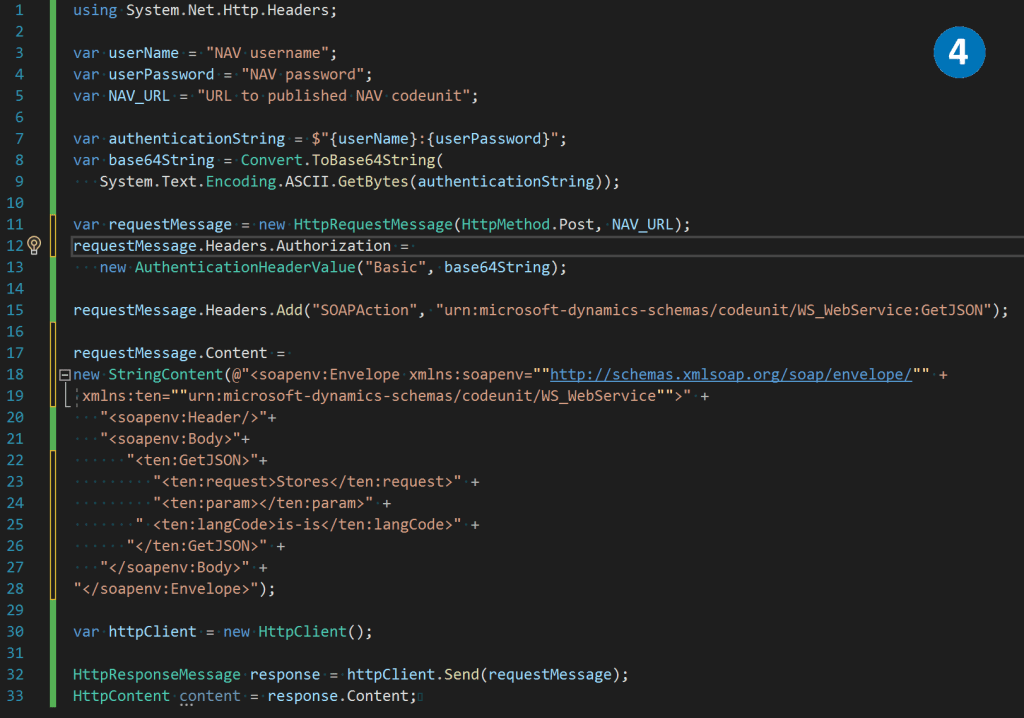
  3. In Postman, we can enter the login and password for Basic Authorization in the Authorization tab.
  4. Using the .NET System.Net.Http.HttpClient library, we can create a POST request, pass the necessary headers, and the XML envelope in the body to retrieve data from the SOAP service.

.NET Core NAV middleware besed on OData V4 Unbound Action and System.Net.Http.HttpClient

From Microsoft Dynamics NAV 2018 and onwards, it is feasible to expose a function as a web service action using OData V4. This represents a more advanced and modern approach to interacting with NAV, surpassing the SOAP Web services method. OData V4 is widely adopted to connect to Business Central.

  1. In Visual Studio Code, we can create an entry point for the GetJSON function, utilizing the same approach mentioned earlier to distribute data between internal functions of the codeunit.
  2. As an example, we can create a Ping function that simply sends to the output whatever it receives as an input parameter.
  3. Codeunit is published as an OData V4 service.
  4. We can call codeunit function by URL /NAVMiddleTierName/ODataV4/CodeunitName_FunctionName. However, it’s important to include basic Authorization and Company in the request headers.
  5. By passing a JSON body to the POST request, we can receive a response from the Ping function.
  6. With the .NET System.Net.Http.HttpClient library, we can create a POST request and include the necessary headers and JSON data in the body.

Building API to manage NAV data with .NET Core.

With the three methods outlined above, we have successfully established a connection between .NET Core and the NAV codeunit. The next step is to create an API for frontend clients such as web and mobile applications, or other systems that require NAV integration.

To accomplish this, we can utilize the ASP.NET Core MVC framework to implement the API, user interfaces, data, and control logic.

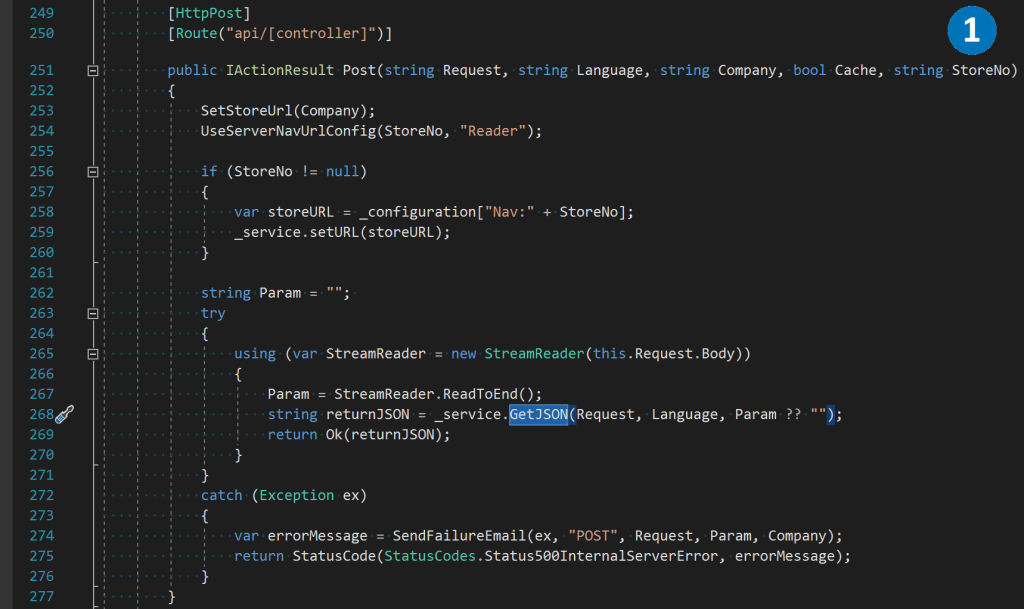
  1. Here’s an example of an MVC controller that receives the Request parameter as a NAV method name, and a JSON string in the body. It passes this data to the GetJSON function.
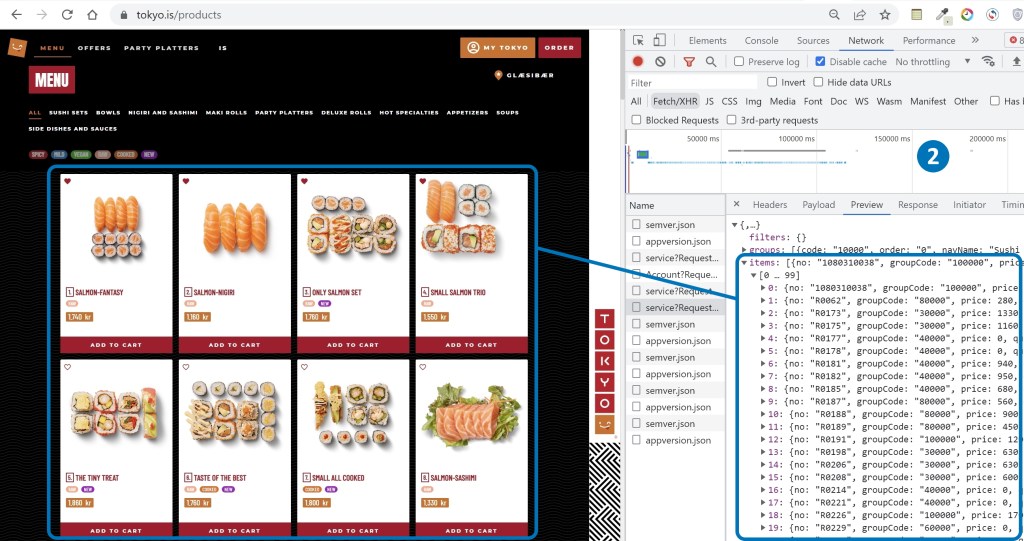
  2. Frontend applications can leverage this controller by calling the GetItems method, which enables them to retrieve a list of items directly from NAV and draw them on the screen.

Extending .NET Core NAV middleware

In this article, we have explored several methods on how to use .NET Core to extract data from NAV in JSON format and transmit it to client applications. However, the concept of .NET Core NAV middleware goes beyond being a mere data transmitter. It serves several additional purposes, such as:

  1. Load balancing for a large number of requests
  2. Request caching in internal memory
  3. Intermediate storage of files and pictures
  4. Authentication and data protection
  5. Sending email or SMS notifications
  6. Integration with payment systems
  7. Logging and monitoring tools

These functionalities can be implemented as plug-ins and added to the middleware, based on the customer’s specific requirements. By leveraging the .NET Core NAV middleware, developers can create custom solutions that not only provide seamless integration with NAV but also offer additional features and functionalities to meet the client’s specific business needs.

Tenging verslunarlausnir ehf.

About Tenging

Tenging is a leading consulting compant that provides development and support to clients managing Microsoft Dynamics Business Central solutions for the retail and hospitality sectors in Europe and the USA. With a team of 40 skilled professionals who work remotely from 8 different countries. The company’s headquarters is based in Vilnius, Lithuania.

As an early employee at Tenging, I played a pivotal role in laying the foundation for the company’s growth. With my expertise in architectural solutions, I helped streamline operations and increase the company’s revenue by 20 times in just 5 years. This growth also led to a significant increase in the number of employees, expanding the team from just 2 to 40 talented individuals spread across the globe.

Working at Tenging has been an incredibly rewarding experience. Collaborating with a team of experts from diverse backgrounds has helped me expand my skillset and broaden my perspectives. I take pride in being part of an organization that is dedicated to providing top-notch services and delivering value to its customers.

Azure infrastructure

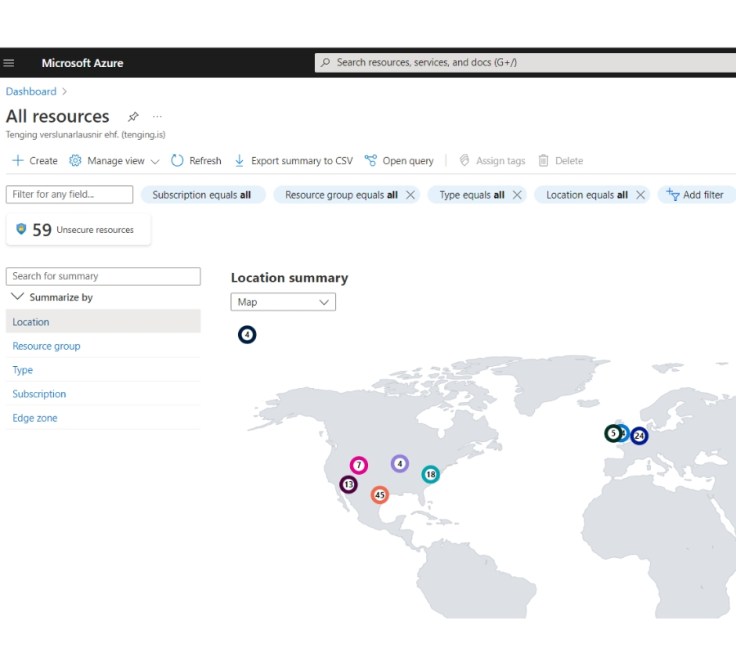
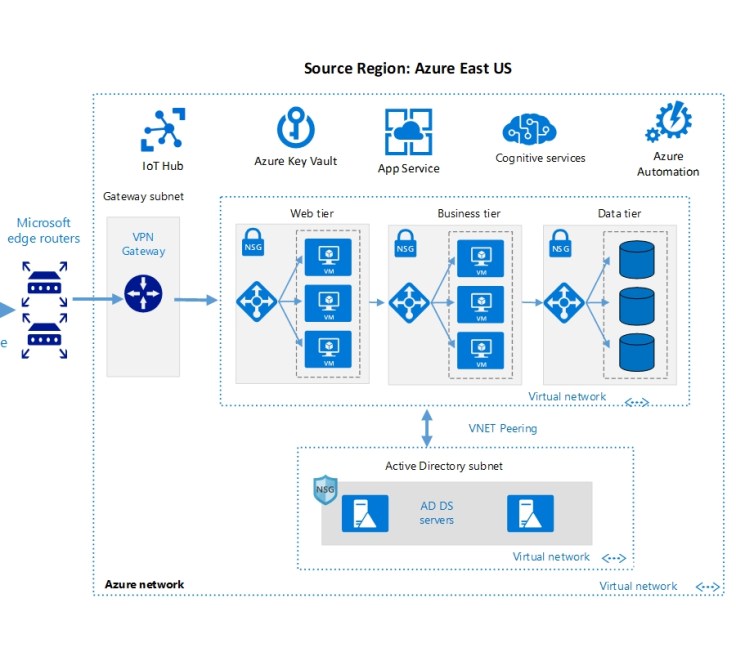
In my first project, I was responsible for developing and deploying the complete company infrastructure on Microsoft Azure. My primary duties and accomplishments during this project included:

  • Deploy Virtual Machines for application and database layers.
  • Installation and configuration Active Directory Domain Controller.
  • Setup organizational security polices, rights and permissions.
  • Installation and configuration MSSQL servers, database transferring, setup backup polices.
  • Setup IIS servers, domains names administration, issuing SSL certificates.
  • Installation and managing NAV Middle tiers versions from 2009 to Business Central.
  • Virtual networks setup and administration.
  • Network interfaces security policies configuration.
  • Configuration backup polices for virtual machines and databases.

Project management tool

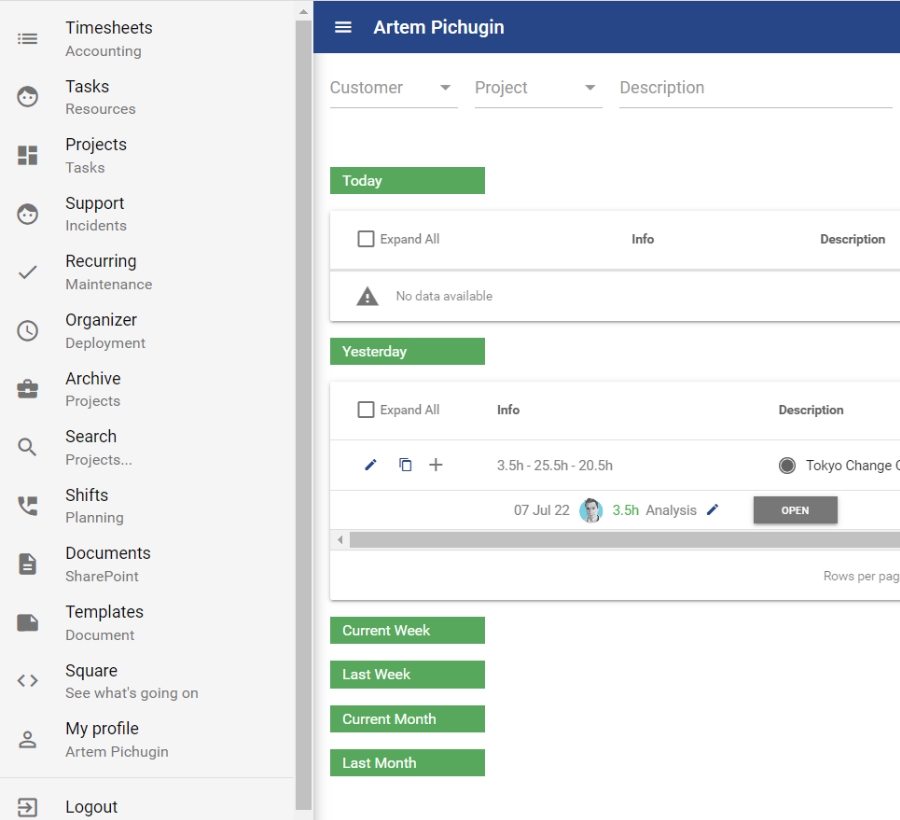
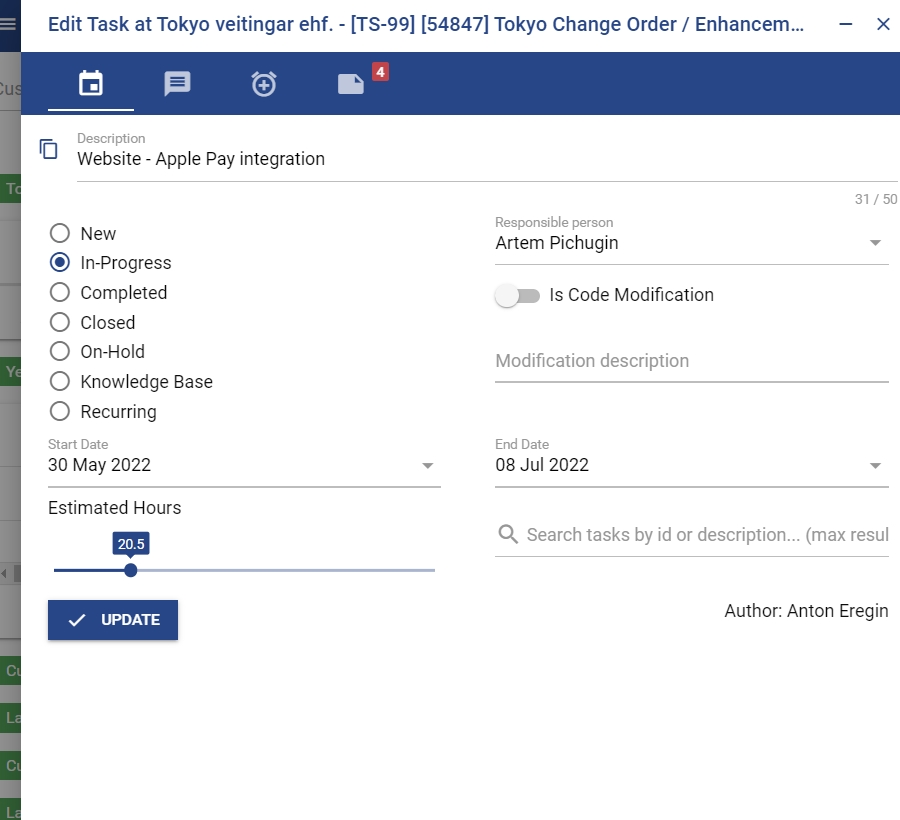
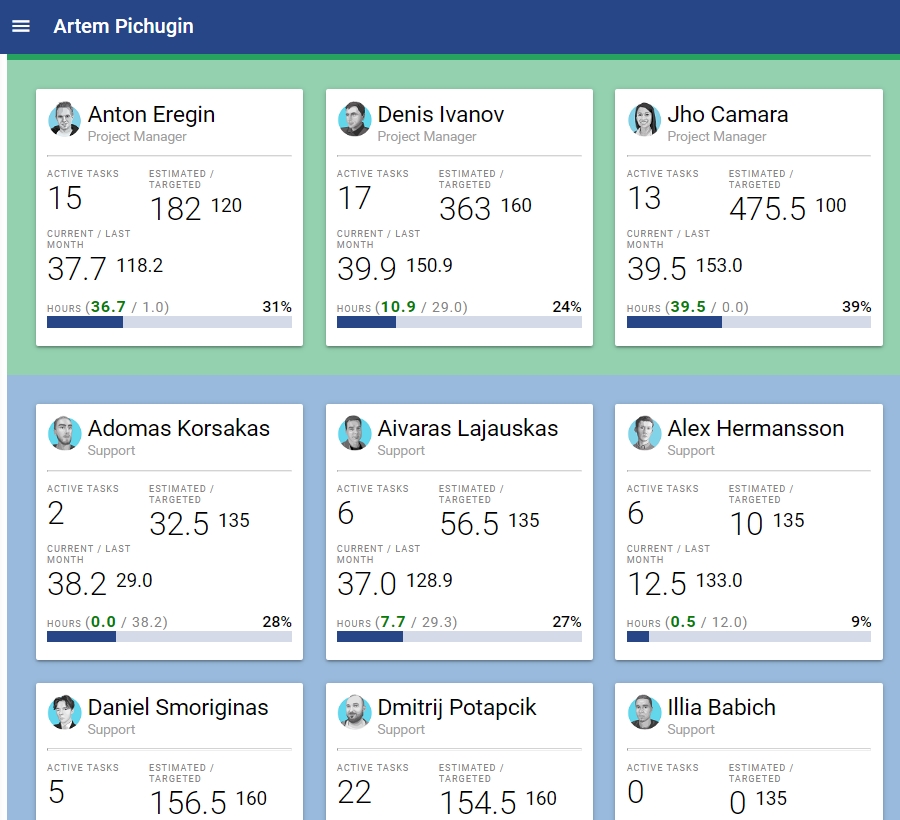
My next challenge at Tenging was to develop a project management tool that would help streamline the daily work of our employees. I created a powerful tool that allows colleagues to easily create and assign tasks, add comments, attach files, and track their work hours.

The project management tool leverages NAV2013 as its backend and incorporates its project management business logic. When users log their hours, the record is automatically saved in the Time Sheet Line table in NAV, allowing for seamless financial optimization using the NAV Financial Management module.

To enhance the functionality of the tool, we integrated it with popular software such as Teams, Outlook, Sharepoint, and Azure AD. This allowed for better collaboration among team members and streamlined workflows.

The task management tool was built using .NET Core NAV middleware and the Quasar Framework, ensuring a robust and scalable solution that meets the needs of our growing business.

Mobile application for task management tool

For my next project, I was tasked with converting the Task Management System into a mobile application using the Quasar Framework. This framework enabled me to utilize the same codebase for building web, mobile, and desktop applications. Throughout this project, I acquired valuable experience in using Xcode and Android Studio to develop and debug mobile applications. Additionally, I became adept at submitting applications for review and successfully navigating the review process for both Google Play and App Store.

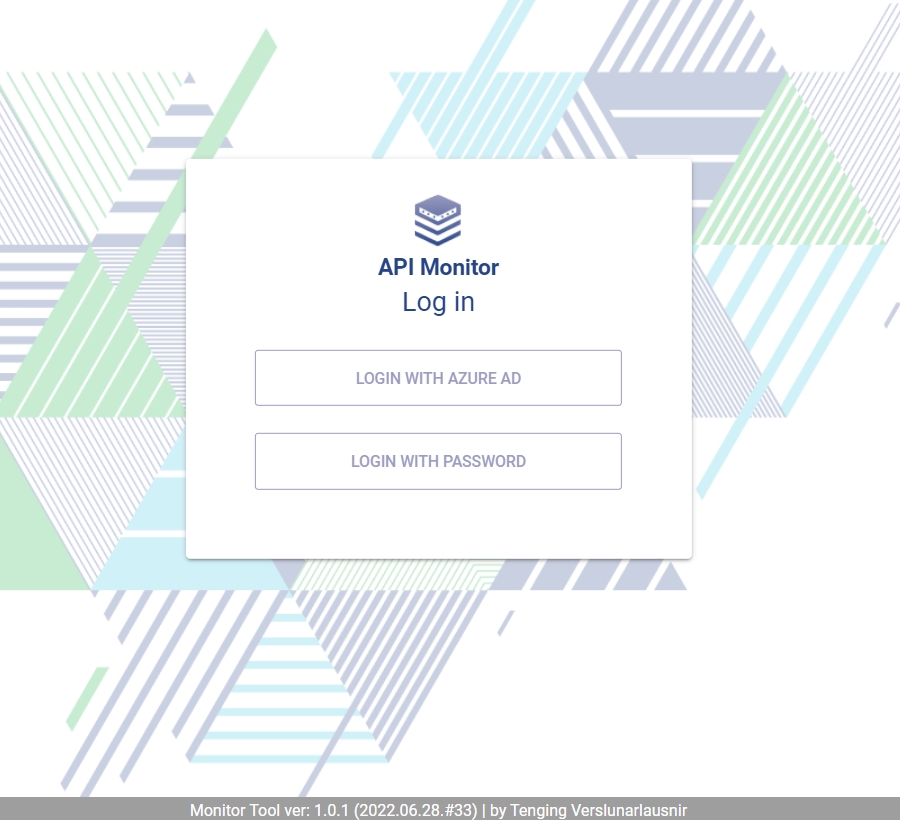
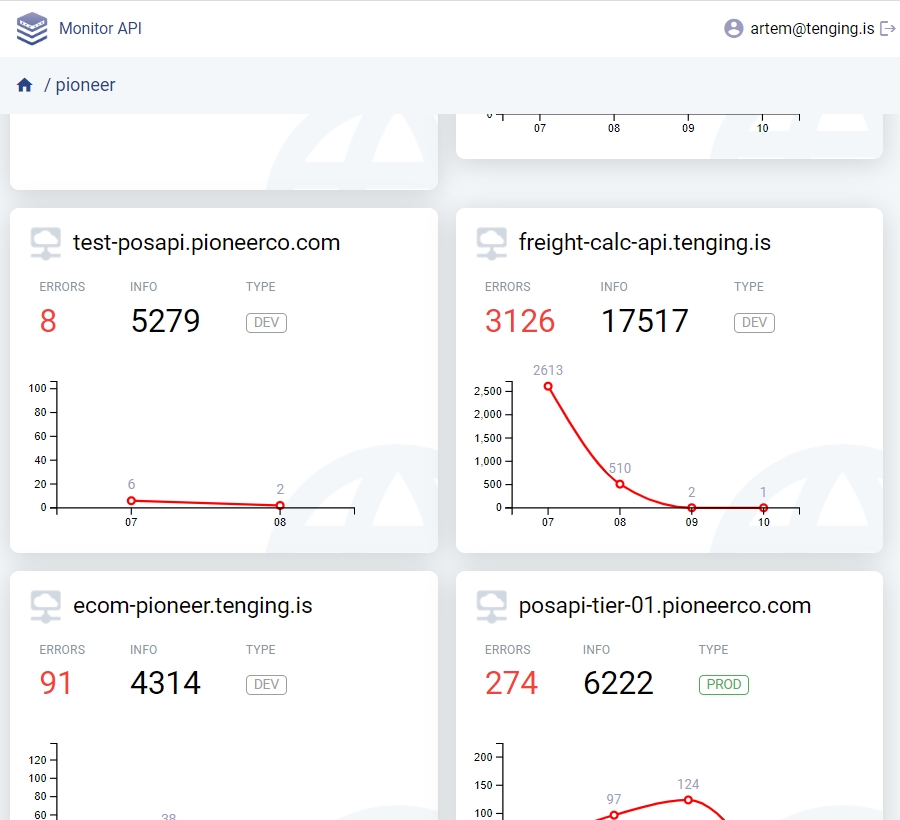
Unified API Monitoring Tool.

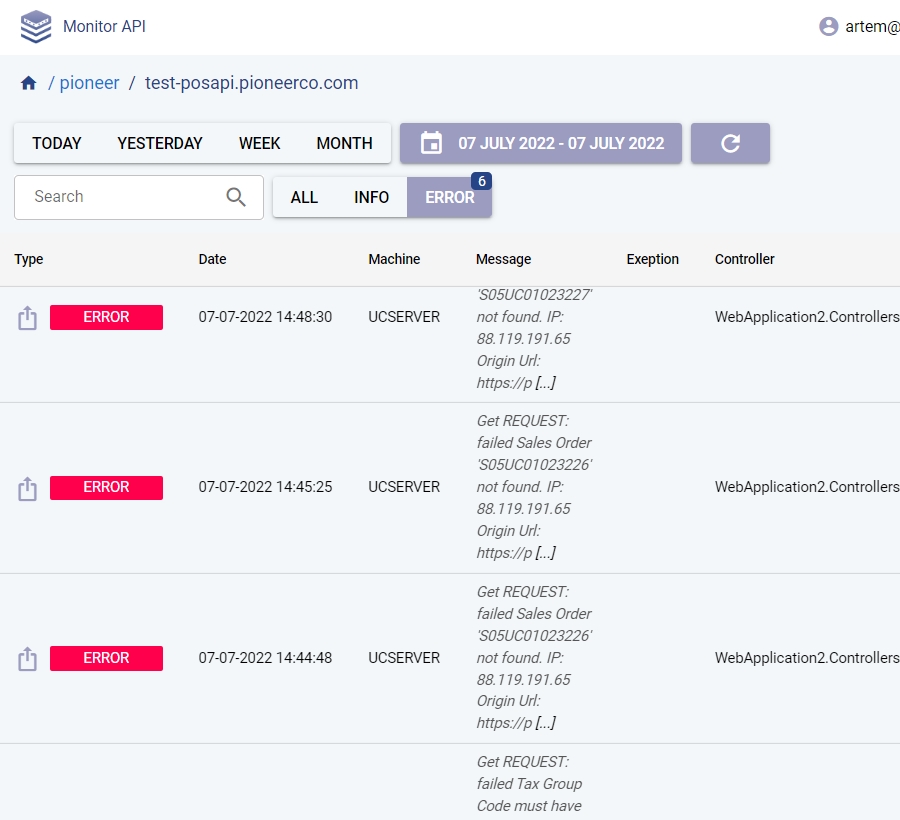
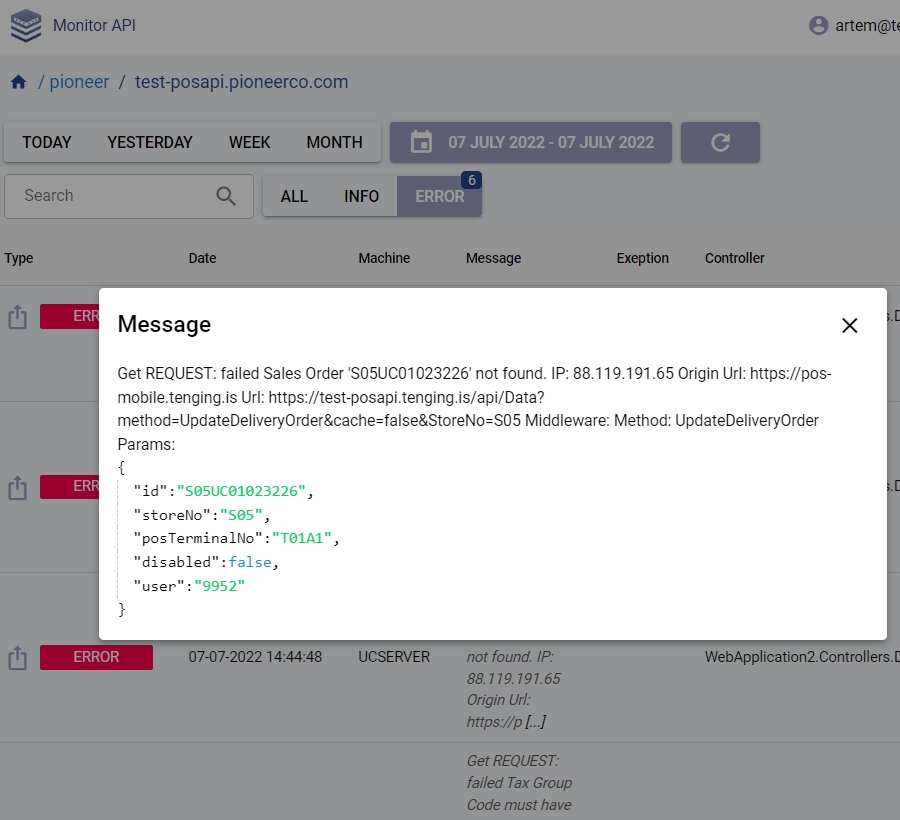
Tenging has implemented a Unified API Monitoring Tool that consolidates all the client solutions developed and published by the company. This powerful tool enables our support center to quickly identify and resolve communication issues in real-time, ensuring seamless and uninterrupted services for clients.

With the Unified API Monitoring Tool, our team can monitor all client systems and applications from a single dashboard. The tool offers a comprehensive range of features such as real-time alerts, performance tracking, and detailed analytics.